Your email unsubscribe rate, explained like a human metric
-
- What is an email unsubscribe rate?
- How to calculate unsubscribe rate
- How the Unsubscribe process works and why easy opt-outs help you
- Common reasons people unsubscribe
- What to do when unsubscribe rates rise
- Unsubscribes vs. list churn
- Do unsubscribes hurt deliverability?
- Why email providers encourage people to unsubscribe
- Why easy unsubscribing is actually good for your business
- Just a number? Put your unsubscribe rate in context
- Email unsubscribe rate: Frequently asked questions
Every time you send an email, a small number of people will opt out. That number has a name, a formula, and — once you know how to read it — a lot to say about the health of your email list. It’s called your email unsubscribe rate, and it’s one of several numbers your email platform tracks automatically after every send.
Understanding where it comes from and what’s actually happening when someone opts out makes it a lot easier to know what to do with it. This post breaks down how the metric works, where it comes from, and what it’s actually worth paying attention to.
Key takeaways:
- The unsubscribe rate shows the percentage of recipients who opt out after an email.
- It’s calculated as: (Unsubscribes ÷ Emails delivered) × 100.
- For most small businesses, 0.2%–0.5% is normal. Above 1% deserves attention.
- People can unsubscribe using the one-click button in their inbox or the link in your email footer.
- Easy unsubscribe options protect your list by sending unhappy readers away instead of to the spam button.
What is an email unsubscribe rate?
An email unsubscribe rate is an email marketing metric that shows the percentage of people who opt out after receiving your email.
Did you know? The unsubscribe rate didn’t always exist as a metric. In the early days of commercial email, opting out meant replying to an email with “remove” and there was no guarantee anyone would actually honor it. That changed in 2003 when the CAN-SPAM Act made a working opt-out mechanism a legal requirement for every marketing email sent in the US. Once unsubscribe links became mandatory, email platforms started tracking who clicked them and the unsubscribe rate as we know it today was born.
How to calculate unsubscribe rate
The formula is straightforward:
(Unsubscribes ÷ Emails delivered) × 100
Let’s say you sent an email to 1,000 subscribers. Your email service delivered 980 of them (20 bounced). Out of those 980 delivered emails, five people unsubscribed.
Your calculation: (5 ÷ 980) × 100 = 0.51% unsubscribe rate
What is a good unsubscribe rate
A rate between 0.2% and 0.5% is perfectly normal for most small businesses. Anything above 1% is worth reviewing because it usually signals a mismatch between what your audience expected and what they’re receiving.
How the Unsubscribe process works and why easy opt-outs help you
Subscribers can opt out in two ways: before they ever open your email, or directly within it.
1. The inbox-level unsubscribe link
Your subscribers can unsubscribe from your emails before they even open them. That’s because major email providers like Gmail and Yahoo show an “Unsubscribe” link right next to your sender name in the inbox view.
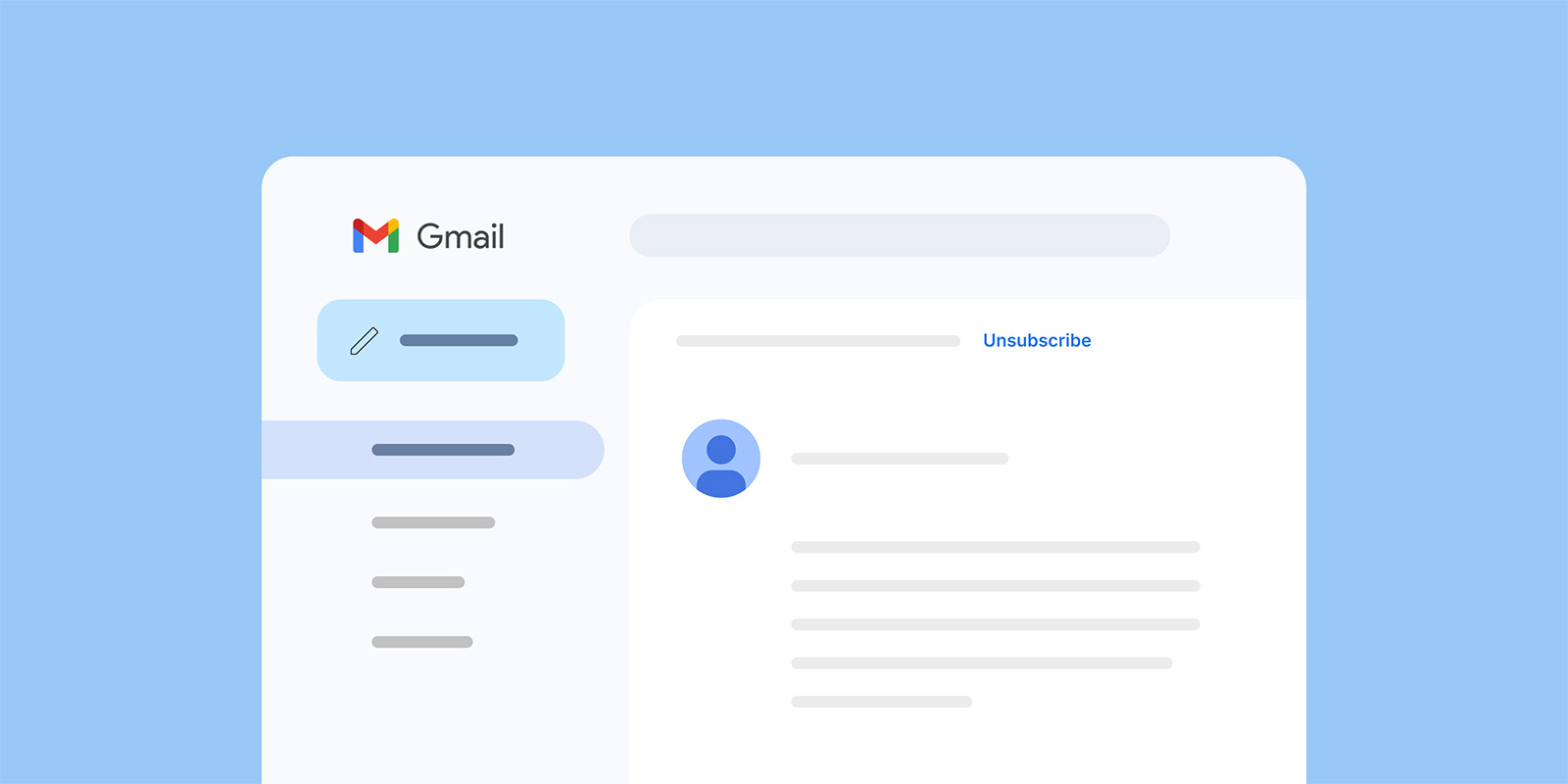
This change took effect in early 2024: senders who send 5,000+ messages per day must include a one-click unsubscribe mechanism in the technical headers of their emails.
If you’re a small business sending to a few hundred or a few thousand subscribers, you probably don’t hit that threshold. But the principle still matters: when unsubscribing is visible and simple, people use it instead of pressing the “spam” button — and a spam complaint is far more damaging than a clean unsubscribe (we’ll get into that in a moment).
Gmail and Yahoo also actively prompt subscribers to unsubscribe from senders they haven’t engaged with recently, typically after about 30 days of inactivity. If someone on your list hasn’t opened your emails in a while, their email provider may already be nudging them toward the unsubscribe.
Now this isn’t a ploy against small businesses. It’s an effort to make inboxes cleaner and more trustworthy for everyone, so genuine senders with real audiences (like you) benefit from less spam and better email deliverability.Most modern email solutions handle this automatically. If you use SiteGround Email Marketing, the one-click unsubscribe headers are built into every campaign you send.
2. The footer unsubscribe link
The other way people opt out is through the unsubscribe link in your email footer, the one at the bottom of every marketing email you’ve ever received.
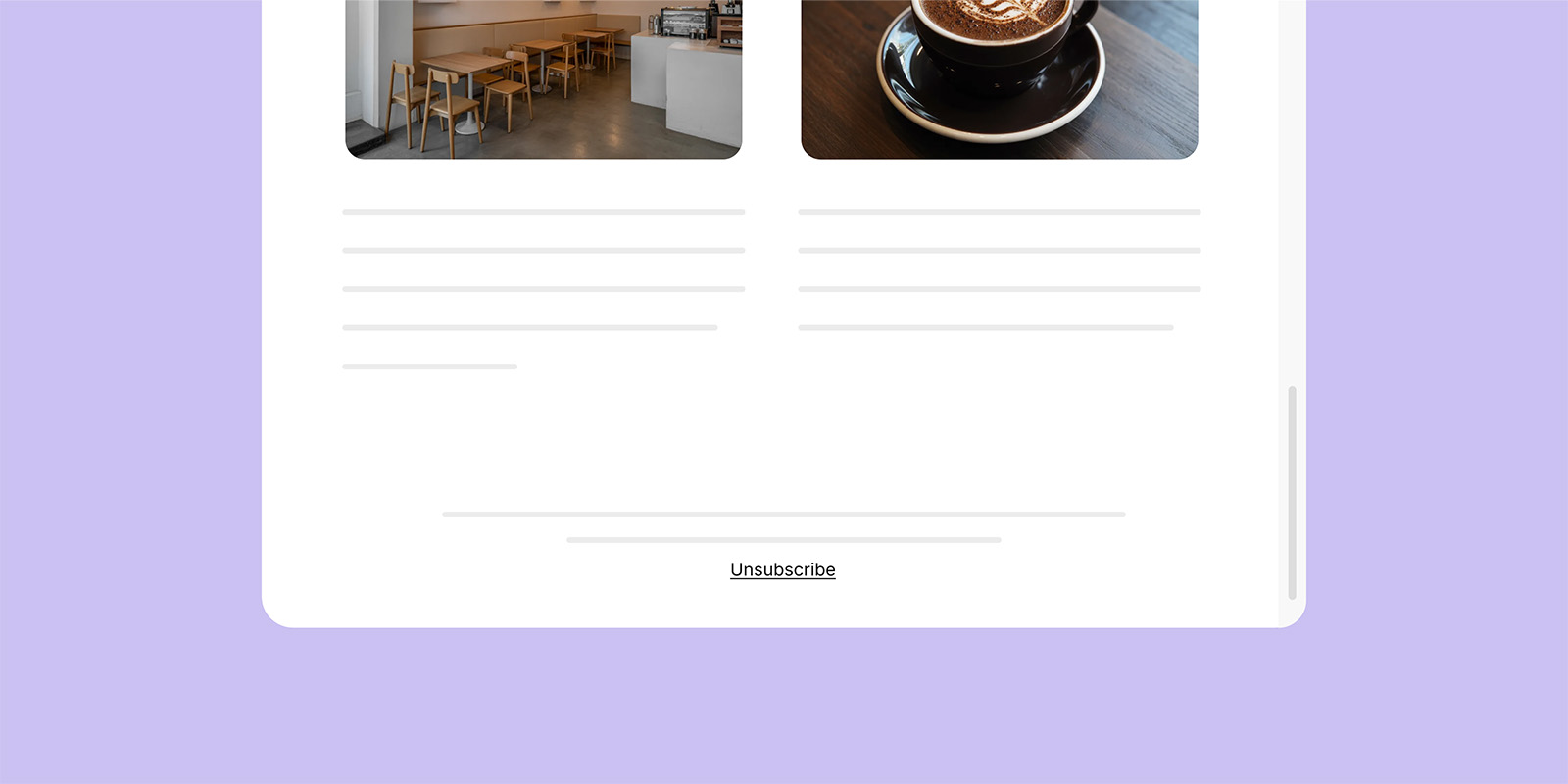
This link is a legal requirement under CAN-SPAM (US) and GDPR (EU). Every marketing email must include a clear, working way for people to opt out. With SiteGround Email Marketing, the unsubscribe link is automatically added to every campaign footer.
Between the inbox-level button and the footer link, your subscribers have two clear paths to leave. That’s a good thing. Every person who unsubscribes through either path instead of treating your emails as spam is protecting your ability to reach everyone else on your list.
Common reasons people unsubscribe
Unsubscribes are valuable feedback. These are the usual patterns behind them:
- The email frequency feels too high or erratic.
- The content no longer matches what subscribers signed up for.
- Topics or tone feel off — too promotional, not enough value.
Viewed this way, unsubscribes act like a built-in feedback loop helping you fine-tune both message and audience fit.
What to do when unsubscribe rates rise
A few strategic tweaks can bring them back down:
- Revisit your opt-in promise. Check if your signup form still accurately describes what subscribers get.
- Segment your list. Send more personalized content to different groups rather than one-size-fits-all blasts.
- Review your send frequency. Sometimes sending less, but with higher relevance, cuts unsubscribes sharply.
- Analyze recent content. Did you recently shift topics, style, or promotions? Look for patterns.
- Let inactive subscribers go. Clinging to disengaged contacts hurts your email engagement metrics and signals to inbox providers that your audience isn’t responsive.
Unsubscribes vs. list churn
Unsubscribes are only one slice of list health. True list churn also includes:
- Bounces: Invalid addresses or outdated contacts.
- Spam complaints: The most damaging form of disengagement.
- Inactivity: Subscribers who never engage but don’t opt out.
In simple terms, list churn measures how quickly contacts drop off your email list, whether by unsubscribing, bouncing, marking emails as spam, or becoming inactive. A high churn rate means you’re losing subscribers faster than you can replace them, which can signal issues with targeting, content relevance, or mailing frequency.
Keeping an eye on all these behaviors helps you maintain a list that’s both compliant and genuinely engaged.
Do unsubscribes hurt deliverability?
Short answer: not directly, no.
Unsubscribes often feel negative, someone explicitly says they don’t want your emails. But inbox providers see them as a neutral signal. They classify recipient behavior into three groups:
- Positive signals: opens, clicks, replies
- Negative signals: spam complaints, deleting without reading
- Neutral signals: unsubscribes
Unsubscribes don’t help your reputation, but they don’t harm it either. Spam complaints, on the other hand, are highly damaging. They tell providers you’re sending unwanted messages, which can tank your sender reputation and land your future emails in spam.
A high unsubscribe rate (usually above ~1%) is a sign to investigate your targeting or content, not your deliverability setup. The real risk comes when people can’t find your unsubscribe link. That frustration leads to spam complaints, and those do lasting damage to your deliverability.
Why email providers encourage people to unsubscribe
If unsubscribes were harmful, Gmail and Yahoo wouldn’t make them so easy. Instead, they’ve built one-click unsubscribe buttons and required senders to honor clear opt-out requests.
Why? Because the alternative is worse. When people can’t easily unsubscribe, they either disengage — hurting engagement metrics — or hit the spam button out of frustration.
When unsubscribes are easy, spam complaints fall and engagement among remaining subscribers rises. It’s a win for everyone, especially your sender reputation.
Why easy unsubscribing is actually good for your business
Unsubscribes help us avoid spam complaints
Spam complaints are the biggest threat to deliverability. Each one is a “bad sender” signal to inbox providers. Enough of them, and even your legitimate messages start landing in junk folders.
Unsubscribes prevent that by giving recipients a safe, frustration-free exit. A visible, one-click unsubscribe link is your built-in pressure release valve. It redirects dissatisfaction away from the spam button and keeps your reputation clean.
Unsubscribes improve the recipient experience
Easy unsubscribing makes the inbox experience better for everyone. It shows recipients you respect their preferences and gives them control over the kind of content they see. That builds trust in your brand, even among people who leave, and trust is what keeps your remaining subscribers engaged.
When people know they can opt out easily, they’re more likely to opt in with confidence next time.
Unsubscribes help keep the email ecosystem healthy
Beyond email marketing metrics and algorithms, unsubscribes play a fundamental role in keeping the email ecosystem trustworthy.
Email providers care about keeping their users happy, that’s their business model. If inboxes fill up with unwanted messages, people switch providers. Easy unsubscribing keeps users satisfied and ensures commercial email remains a marketing channel people want to engage with.
And your subscribers’ lives aren’t static. They change jobs, move cities, start or close businesses, shift interests. An email list that was perfectly matched six months ago will naturally lose some relevance. Unsubscribes allow your list to adapt in real time, keeping it relevant, engaged, and cost-effective to maintain.
Just a number? Put your unsubscribe rate in context
Your unsubscribe rate is one of the easier metrics to understand once you know what’s behind it. It tells you how many people opted out, gives you a signal about list health, and when it spikes it points you toward something worth looking at. It doesn’t tell you your emails are bad, your business is struggling, or that you’re doing something wrong.
Most of the time, a few unsubscribes per send is just email working as it should. Focus on the people who stay, keep showing up with content worth reading, and the number will take care of itself.
Email unsubscribe rate: Frequently asked questions
Unsubscribe means a recipient asks to stop receiving your marketing emails, usually by clicking an unsubscribe link or button that removes them from your mailing list.
Yes, typical unsubscribe rates differ by industry, audience, and region, with many sectors falling roughly around 0.1%–0.5% per campaign.
A sudden spike often points to a recent change: new content themes, a big promotional push, more frequent sends, or attracting the wrong subscribers with your signup promise.
Common causes include sending too often, generic or low-value content, poor audience targeting, or a mismatch between what people were promised at signup and what they actually receive.
Individual unsubscribes do not directly hurt deliverability and are generally seen as a neutral (even preferable) signal compared to spam complaints.
Unsubscribes themselves aren’t a strong negative, but a consistently high rate is a warning sign that something in your targeting, expectations, or content may eventually lead to more spam complaints and threaten your sender reputation.
Place a clear unsubscribe link in the footer of every marketing email, and avoid hiding it in dense text or making people log in to manage preferences.
Yes, major inbox providers like Gmail and Yahoo let people unsubscribe directly from the inbox view via a one‑click “Unsubscribe” link next to the sender name.






Comments ( 0 )
Thanks! Your comment will be held for moderation and will be shortly published, if it is related to this blog article. Comments for support inquiries or issues will not be published, if you have such please report it through our official channels of communication.
Leave a comment
Thanks! Your comment will be held for moderation and will be shortly published, if it is related to this blog article. Comments for support inquiries or issues will not be published, if you have such please report it through our official channels of communication.