Year-in-Review Email Templates: Make Your Customers the Star
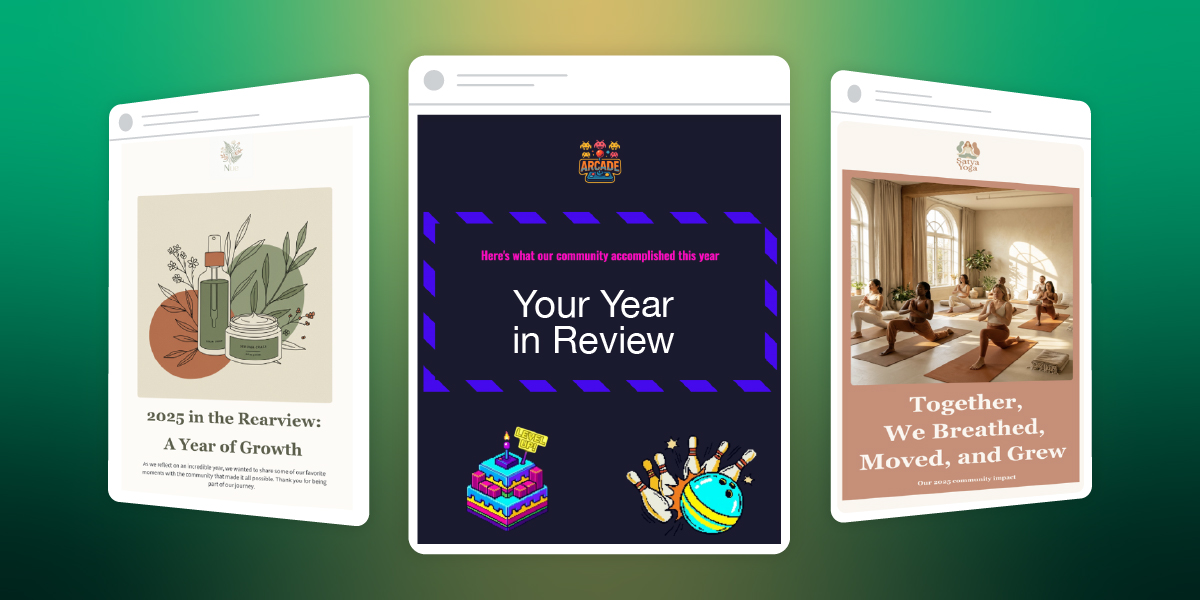
Every December, Spotify’s Wrapped email reveals our listening habits, prompting millions to share it readily with friends and loved ones and screenshot it for Instagram. This is the strange magical effect of year-in-review data, and you and your business can utilize it for your end-of-year emails, as well.
Year-in-review emails are one of the very few examples of smart use of tracking data for the benefit of the customer. When brands do that, you’re not a data point. You’re the main character in a story shaped by your unique metrics.
The best year-in-review emails go beyond numbers and tap into identity. You’re not just someone who bought stuff. You’re someone who did something worth celebrating this year.
For small businesses, this is great news. And the best part is that you don’t need Spotify’s engineering team and algorithm. You just need to know what your customers did this year and make it interesting for them.
Key Takeaways:
Year-in-review emails are personalized messages, sent to customers at the end of the year. Those emails can summarize their interactions, achievements and/or milestones with the particular brand over the past 12 months. By utilizing these emails, you’re making your customers the main character in a story shaped by their unique metrics. Any small business can use this marketing tactic.
- Make Your Customer the Hero: Shift the focus to the customer, turning their data and interactions with your business into a story that makes them feel celebrated and unique.
- It’s Not Just for Big Tech: Any business, from a local arcade to a skincare brand, can use this strategy by translating customer behavior into a narrative about their identity and achievements.
- Focus on Meaningful Data: Instead of generic numbers like the amount customers spent, highlight specific, positive actions like “you tried 8 new menu items” or “you’ve been a member for 3 years.”
- Use a Soft Call to Action (CTA): The primary goal isn’t direct sales. Guide customers toward a natural next step, such as booking a session for the new year or leaving a review.
- No Individual Data? No Problem: If you don’t track individual customer data, create a “community highlight” year-in-review email. Celebrate collective achievements (such as “Together, we donated…”) and make your audience feel like an important part of that success.
- Find the Right Narrative: If you have customer data, adapt one of three smart approaches to tell a compelling story that fits your business.
Why Small Businesses Need Year-in-Review Emails
Year-in-review emails are one of the few marketing messages where you can celebrate your customers instead of asking them to buy something (and they actually work better because of it). For small businesses, this is a chance to stand out in December’s crowded inbox by making customers feel seen, appreciated, and genuinely part of your story.
You might think that wrapped emails are for tech companies with data scientists.
But that’s not true.
Someone who runs a family events center can send a year-in-review email that says “You celebrated 4 birthday parties with us this year and your kids’ friends probably think you’re the cool parent now.” Another who makes skincare products, can say “You’ve been using the same face wash for 9 months, which means you finally found something that works and aren’t panic-buying new products every week.”
Both of these year-in-review emails do the same thing Spotify does. They take behavior and turn it into a story about identity.
- The Psychology Angle
- A Smart Re-Engagement Tactic
- The Stats Say it Works
The Psychology Angle
People want to be the protagonist. Not of some grand epic fantasy, just of their own year. When you send someone a recap of what they did with your business, you’re basically saying “you had a story this year, and we were a part of it.”
The photographer who emails past clients with “You’ve been married for two years now and we still remember the reading of your vows in the rain” isn’t selling anything. They’re reminding someone of a moment. That’s relationship building that a discount code can’t beat.
A Smart Re-Engagement Tactic
Year-in-review email newsletters bring back people who forgot about you. Let’s say your business is a yoga studio, and someone joined your classes back in March, but then vanished. They get a December email that says “Remember us? You burned enough calories this year to climb Mount Everest (twice!).” Suddenly you’re back in their radar.
Now that it’s the end of the year, that email recipient is probably making plans and setting goals. And you’re now top of mind. If your just-sent year-in-review email reminds them of what they accomplished with you in the past year, they’re way more likely to book with you again when they’re making plans for 2026.
Plus, these types of emails that share accomplishments get shared. People screenshot their stats and post them. Your business name is right there in the image. This is free word-of-mouth marketing from people who are excited to show off their year.
The Stats Say it Works
And let’s not forget that year-in-review emails are essentially highly personalized emails. And do you know what personalized emails are good at? They crush generic promotional emails on every email marketing metric that matters.
According to Litmus’s 2024 State of Email in Lifecycle Marketing report, automation and personalization remain the top priorities for email marketers, with consumers showing strong preference for personalized email elements. 64% value exclusive offers based on loyalty status and 63% value product recommendations based on past purchases.
Birthday emails, which not only celebrate customer milestones but also act as re-engagement emails, generate click-to-open rates of 24.43%, the highest of any automated email type according to G2’s 2024 email marketing research.
In 2023, 60 million people shared their Spotify Wrapped graphics on social media. That’s 60 million free brand ambassadors.
These kinds of emails also get way fewer unsubscribes because you’re not asking for money. You’re celebrating your customer and it’s hard to be mad about that.
The Anatomy of a Great Year-in-Review Email
Okay, so what actually goes into a year-in-review email template? Let’s break it down.
- Personal Data Points and Design That Works
- Tone of Voice: Somewhere Between Friendly and Professional
- The CTA: What Do You Want Them to Do?
Personal Data Points and Design That Works
You need numbers that mean something. “You spent $472 with us this year” is technically true but also kind of depressing. “You tried 8 new menu items and the truffle fries became your regular order” is way better.
The digital marketing metrics you track depend entirely on what your business does:
If you’re an ecommerce site, you have a purchase history. How many products did they buy? Did they branch out into new categories? Did they come back for the same thing three times? That’s customer loyalty. Follow the whole customer journey to celebrate these touch points.
If you’re a service business, you have appointments. How many times did they book? What did they try? How long have they been coming? Did they hit any key milestones?
Entertainment venues can track the events guests attend, the types of gatherings they prefer, and the new experiences they try. “You came to 6 events this year and we’re pretty sure you’re single-handedly keeping the local music scene alive” might work.
Content creators have opens, reads, clicks. A line that feels personal is something like: “You opened 42 out of 52 newsletters which is honestly better attendance than most people’s gym memberships”.
Nonprofits can highlight impact. Try a message that connects the act of giving to the actual humans that helped like: “Your donations helped 12 students attend college this year”.
The trick is finding three to five things that feel meaningful without being weird. You want people to think “whoa, I didn’t realize I did that” and not “how do you know that and why are you watching me.”
As for the email marketing design, it’s good to take into account mobile devices. Most people open these emails on their phone while scrolling during a holiday break. Try using big numbers, short sentences, and clear hierarchy. You can also test the length of different email subject lines. While shorter is generally better, test variations to see what resonates most with your audience.
Tone of Voice: Somewhere Between Friendly and Professional
This is where one can easily mess up. You don’t want to go too formal (“We would like to express our gratitude for your patronage”) or too casual (“OMG you’re literally the best customer ever!!!”).
You want genuine enthusiasm without desperation. The mindset you need to settle in is that of someone who’s celebrating what your customers did and you happened to be there for it. Make sure the tone of voice is aligned with your brand, too. Here are some examples:
Forgettable line: “Thank you for your continued support this year.”
Better line: “You booked with us 8 times this year, which makes you officially a regular. We know your coffee order now.”
Forgettable line: “We appreciate your loyalty to our brand.”
Better line: “Three years of Saturday morning classes. Remember when you couldn’t do a pushup and now you’re doing them on one arm just to show off?”
The difference is specificity. Generic praise sounds like a formal letter but specific observations sound like you actually noticed them.
The CTA: What Do You Want Them to Do?
Here’s the thing about year-in-review emails—they’re not sales pitches. The minute you turn this into selling, you’ve broken the spell.
But you can absolutely include an email call to action if it feels like a natural next step.
Strong year-end CTAs:
- Book your first session of 2026
- Share your year with friends
- Tell us what you want to see next year
- Get early access to our January launch
- Leave us a review
Weak year-end CTAs:
- Buy more right now (You just celebrated them. Don’t immediately ask for money.)
- Don’t forget about our sale (Breaks the celebratory tone.)
What If You Don’t Have Individual Customer Data?
Not every business tracks customer behavior at the individual level—and that’s okay. You can still create compelling year-in-review emails using company-level data.
What you can celebrate without personalized data:
- Company milestones (press coverage, awards, expansion)
- Product launches and bestsellers
- Community impact (total donations, collective achievements)
- Store openings, partnerships, major announcements
- Environmental/social impact metrics
The key difference:
Instead of “YOU did this,” it becomes “WE did this together, and you were part of it.”
Year-in-Review Email Examples: 3 Approaches That Work
Looking for year-in-review email newsletter inspiration? Here are three proven approaches you can adapt for your business. For the purpose of this article, we’ve built actual year-in-review email templates using SiteGround AI Studio (available in your SiteGround Customer Area) and the SiteGround Email Marketing platform to show you exactly how each one works.
Whether you run an ecommerce shop, a service business, or a community platform, you can create the same templates to fit your data. These work for both personalized and company-level data and you’ll see how you can adapt each one based on what data you have.
1. The Numbers Game (Spotify Style)
This is the approach everyone thinks of first because Spotify made it famous. You take user behavior, turn it into big bold numbers, and present it like a highlight reel.
Who it works for: Ecommerce, SaaS, content creators, anyone who has trackable user behavior.
What it looks like: Big typography and data points that sound impressive even if they’re not objectively huge. Pick numbers that make people feel like they accomplished something.
How to implement this:
- If you track individual customer behavior: Pull your top 3-5 metrics per customer and format them with big numbers and short context.
For example: “You discovered 12 new products this year”; “You invested 4.5 hours learning new skills with us.”
- If you only have company-level data: Show impressive collective numbers and position customers as contributors.
For example: “Together, we saved 62 million gallons of water. Every purchase counts, including yours.”; “Our community ordered 2.4 million meals this year, and you were part of making that happen.”
Watch out for: Numbers that don’t mean anything to the recipient. “You logged in 156 times” is just data, but “You logged in more than 87% of our users” or “You’ve been with us for 523 days straight” tells a story.
Template example: Family Entertainment Center
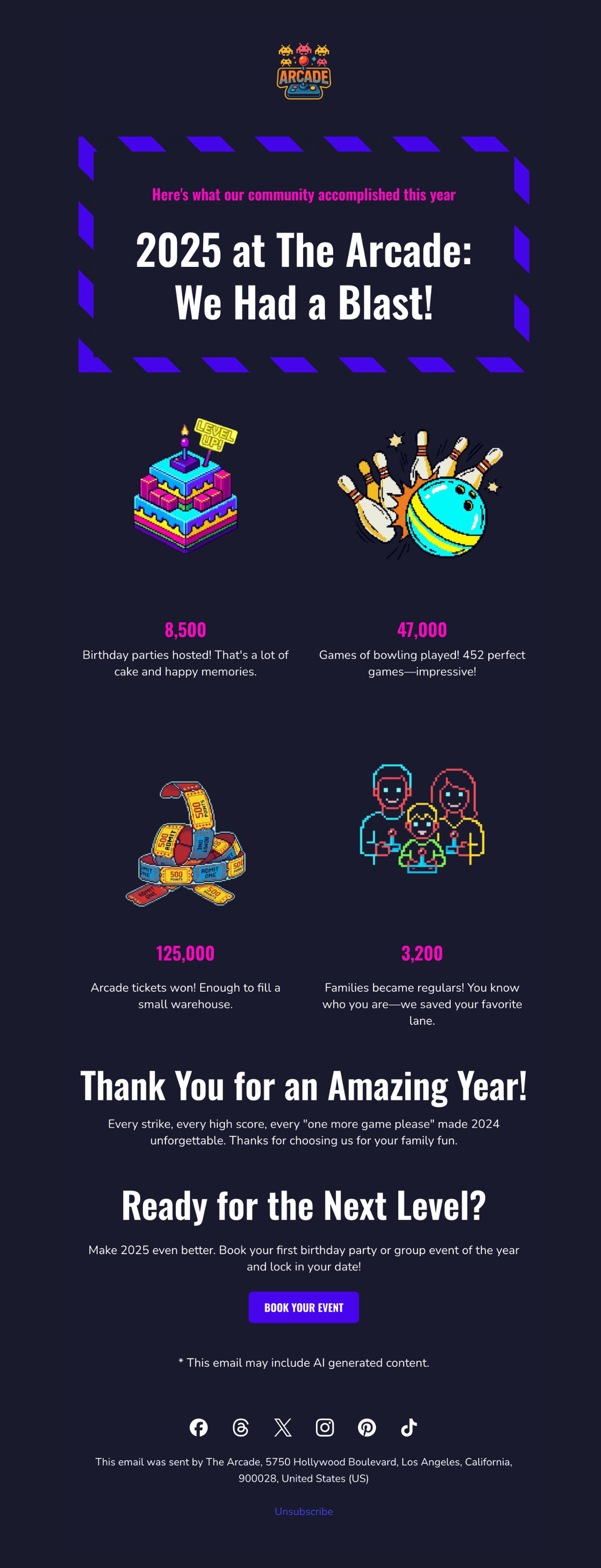
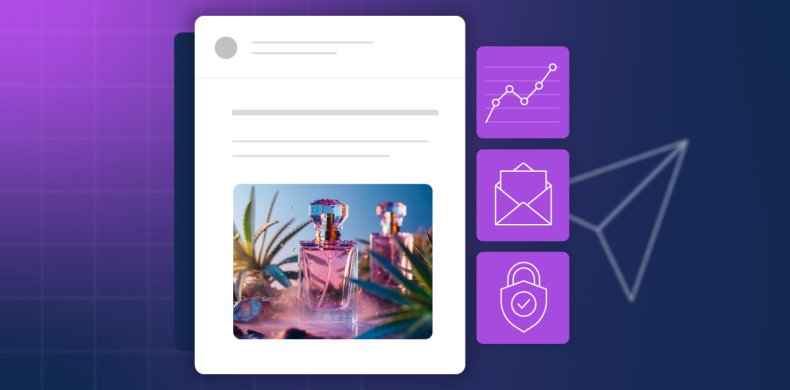
We built this template for a bowling alley and arcade using SiteGround AI Studio. It celebrates collective achievements and makes every family feel like they were part of making 2025 unforgettable. The bold, playful design uses bright colors and game-style typography that feels celebratory without being overwhelming.
2. The Milestone Celebration
This approach focuses less on quantity and more on moments like first purchase, one-year anniversary, or a specific achievement unlocked. The email becomes a timeline of you and your customer’s relationship.
Who it works for: Service businesses, restaurants, subscription models, membership organizations, any business where moments matter more than metrics.
What it looks like: Timeline-style email layouts highlighting 1-3 significant dates or achievements. It’s less about “how many times” and more about “remember when.” The design celebrates progression and specific memories rather than volume.
How to implement this:
- If you track customer milestones: Look for natural milestones in your customer data like first purchase anniversaries or the moment they became a “regular.” Build the year-in-review email around 1-3 of these personal dates.
For example: “One year ago today, you booked your first massage with us. Since then, you’ve become a regular every Thursday at 6pm—we always have your table ready.”
- If you only track company milestones: Share YOUR big moments from the year and thank customers for being part of your brand story. Include photos from major moments and frame them as shared celebrations.
For example: “We opened 3 new locations, won Best Local Business, and celebrated 10 years, and you were with us through all of it.”
Watch out for: Celebrating milestones the customer doesn’t care about like your company’s 10th birthday. Their personal first-time-using-you anniversary will resonate better.
Template example: Natural Skincare Brand
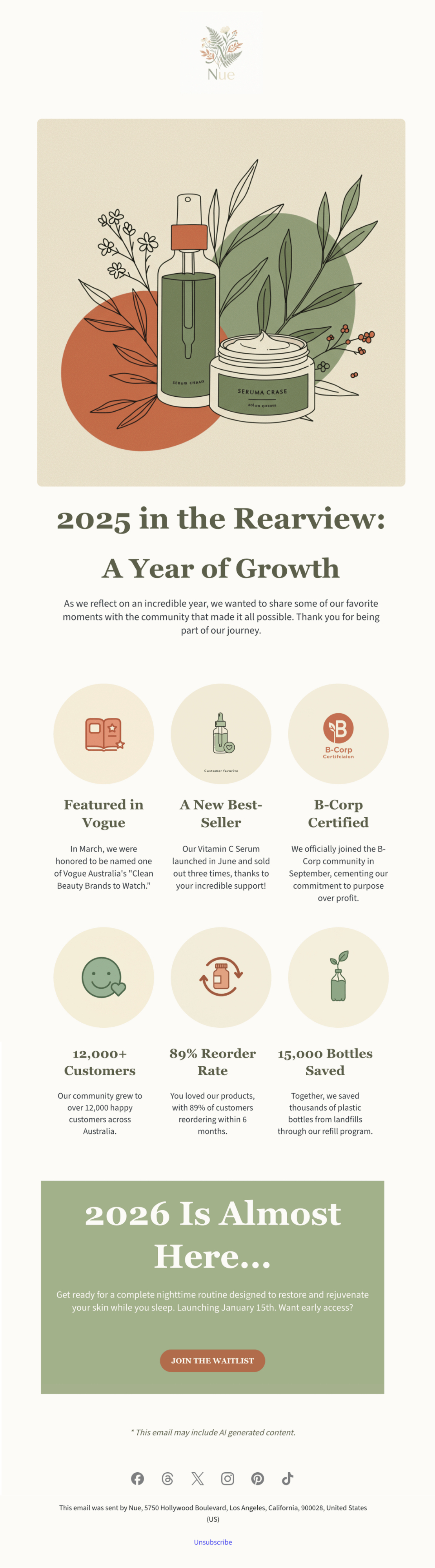
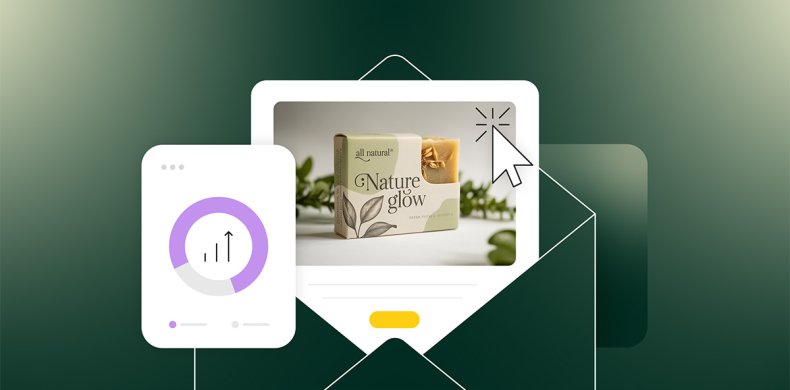
This template was created with SiteGround AI Studio for a clean beauty brand. It walks through the company’s major 2025 milestones, presented as a visual timeline. The design is clean, sophisticated, and visually appealing, matching the premium skincare aesthetic while making customers feel proud to support a growing brand.
3. The Community Highlight
This approach flips the script from “here’s what YOU did” to “here’s what WE did together as a community, and you were part of it.” It works when your value comes from being part of something bigger.
Who it works for: Platforms with user-generated content, nonprofits, membership communities, marketplaces, fitness communities, anywhere collective impact matters.
What it looks like: Big collective numbers up front (total community achievement or customer participation), then a zoom-in showing how this individual contributed to that larger story. Visual elements often show scale like maps, crowd imagery, or data visualizations that make the community feel massive and meaningful.
How to implement this:
- If you can show individual contribution within the collective: Start with the big number (“Together we explored 782M miles”) then zoom in (“You contributed 47 miles to that achievement”). Make their piece feel meaningful.
- If you only have collective totals: Focus entirely on community pride without individual callouts. The individual’s presence in the year-in-review email itself proves they’re part of it.
For example: “Together we explored 782M miles as a community. Every hike matters, including yours”; “Our members donated $5.8M this year. Thank you for being part of this movement.”
Watch out for: Making someone feel insignificant. If you say “Our platform processed $10B in sales” and then “You sold $200,” you won’t inspire anybody. Frame it as being part of something bigger, not being small within something big.
Template example: Local Yoga Studio
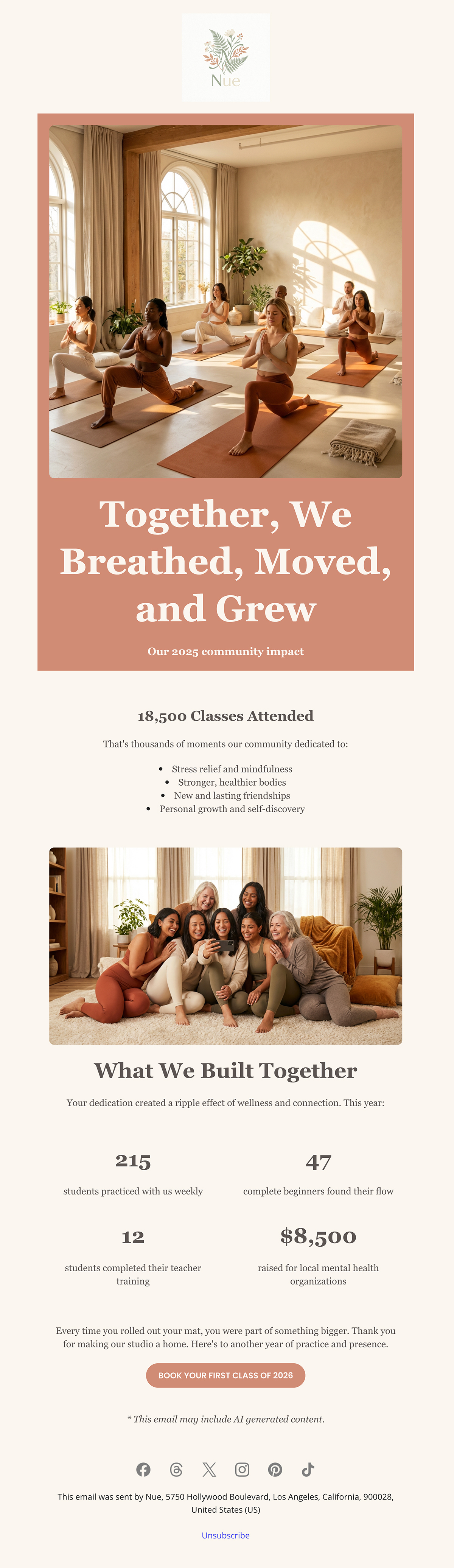
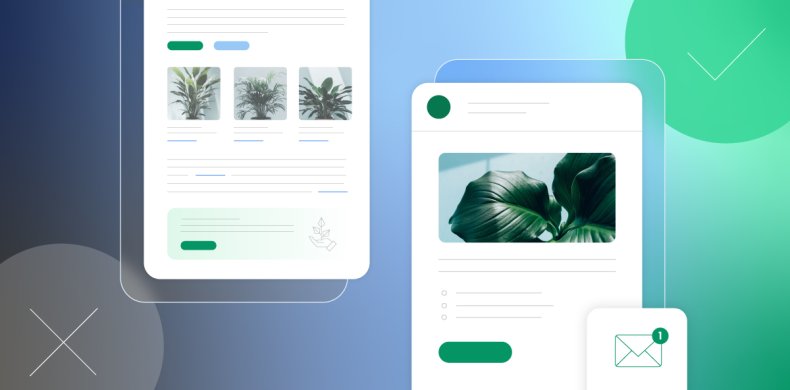
We used the SiteGround Email Marketing platform to build this community-focused template for a yoga studio. It leads with the collective achievement, 18,500 classes attended, then breaks down what that meant: stress relief, stronger bodies, new friendships, personal growth. The warm, calming design of the year-in-review email, with soft colors and organic shapes makes every student feel like they’re part of a supportive community, not just another number.
| Build and Send Your Year-in-Review Email with SiteGround Ready to create your own? Start with SiteGround AI Studio (available in your User Area) to generate your year-in-review email in minutes. Just describe your business and share your metrics. Then customize and send it through the SiteGround Email Marketing platform. |
The Bottom Line on Year-in-Review Emails
Year-in-review emails work because they make your customers the main character. For once this year, it’s not about you trying to sell them something but about celebrating what they did, discovered, or accomplished. You just happened to be part of that story.
So, whether you’re creating a year-in-review newsletter or a simple recap email, the formula is the same: know what your customers did, make them feel good about it, and send it in December.
The worst thing that can happen is people ignore your year-in-review email. But the best scenario is they love it and once they love it, they’re gonna screenshot it, share it, and remember why they liked your brand in the first place. That’s not a bad outcome for one email.




Comments ( 0 )
Thanks! Your comment will be held for moderation and will be shortly published, if it is related to this blog article. Comments for support inquiries or issues will not be published, if you have such please report it through our official channels of communication.
Leave a comment
Thanks! Your comment will be held for moderation and will be shortly published, if it is related to this blog article. Comments for support inquiries or issues will not be published, if you have such please report it through our official channels of communication.