What Is a Website Builder? Tips for Small Businesses
You know your business needs a solid website. Your competitors have sharp-looking ones. Your customers expect something slick and functional. Even your nephew who sells friendship bracelets on Instagram has a super dialed web presence.
But the reality is that you want to focus on running your business, not debugging code at 2 AM or deciphering what “CSS” means. (Spoiler: it’s not a government agency.) You need a website that works, looks professional, and doesn’t require a computer science degree, or a highly padded bank account, to update when you change your hours or add a new service.
Enter the website builder: a platform that gives you everything you need to create a professional site without the technical headaches or developer price tag. It’s the fast, affordable way to get online and actually stay in control of your own site.
Let’s break down what website builders actually do, how they work, and why they might be exactly what your small business needs to start growing online—without the complexity or the big budget.
Key Takeaways:
- Website builders let small businesses create professional sites without coding or hiring developers.
- Visual editors, templates, and simple publishing make building and updating a site easy.
- Different builder types—drag-and-drop, templates, AI, CMS/low-code, ecommerce, and all-in-one—suit different needs.
- Many builders include helpful tools like mobile-ready design, SEO features, marketing integrations, and ecommerce options.
- They offer a fast, affordable way to launch and manage a polished website without technical headaches.
What Is a Website Builder?
A website builder is a platform that lets you create a website without writing code or hiring a developer. Oftentimes, it bundles everything you need—templates, design tools, hosting, security—into one system that is easy to use.
For small businesses, that’s huge. Website creation is easy and, in many cases, instead of juggling five different services and piecing together a solution on your own, you get one dashboard that handles it all. No technical degree required. No existential crisis when something breaks.
As a result, you can launch a legit, professional-looking website in hours instead of weeks—even if you’ve never designed one before.
In short, website builders make getting online fast, affordable, and way less painful, whether you’re launching a portfolio, a business site, or a full online store. Which is exactly what you need when you’re busy actually running said business.
How Does a Website Builder Work?
Many website builders streamline the website creation process by offering tools to help design, launch, and maintain a site, often within a single platform. While each website builder works slightly differently, most operate through a few core functions:
- Visual Editing: Provides a visual workspace where you can design pages by arranging elements like text, images, buttons, or forms, and see changes in real time.
- Ready-Made Structures: Offers professionally designed templates and layouts that match your industry or style.
- Technical Essentials Managed: Handles website hosting, security, backups, and performance updates behind the scenes.
- Expandable Functionality: Includes features like SEO tools, forms, ecommerce, or marketing integrations that you can add as your business grows.
- Simple Publishing: Allows you to launch or update your website with minimal effort—edits go live instantly.
Types of Website Builders
Website builders come in several styles, each offering a different balance of flexibility, ease of use, and technical control. Some focus on simple visual editing, others use AI to speed up the process, and some are built for selling products online. And because many modern platforms blend features from multiple categories, it’s helpful to understand the core types before diving into the details.
- Drag-and-Drop Website Builders – These let you design visually by clicking and dragging elements (text boxes, images, buttons, videos) onto a page and positioning them wherever you want. No coding knowledge required. You see changes in real-time as you create your website. Great for people who want creative control without technical skills.
- Template-Based Website Builders – For this website builder you can use professionally designed templates for different industries (restaurants, portfolios, consulting, etc.) and customize colors, fonts, images, and text. The structure is pre-built, so you’re filling in the blanks rather than designing from scratch. Faster than starting with a blank canvas.
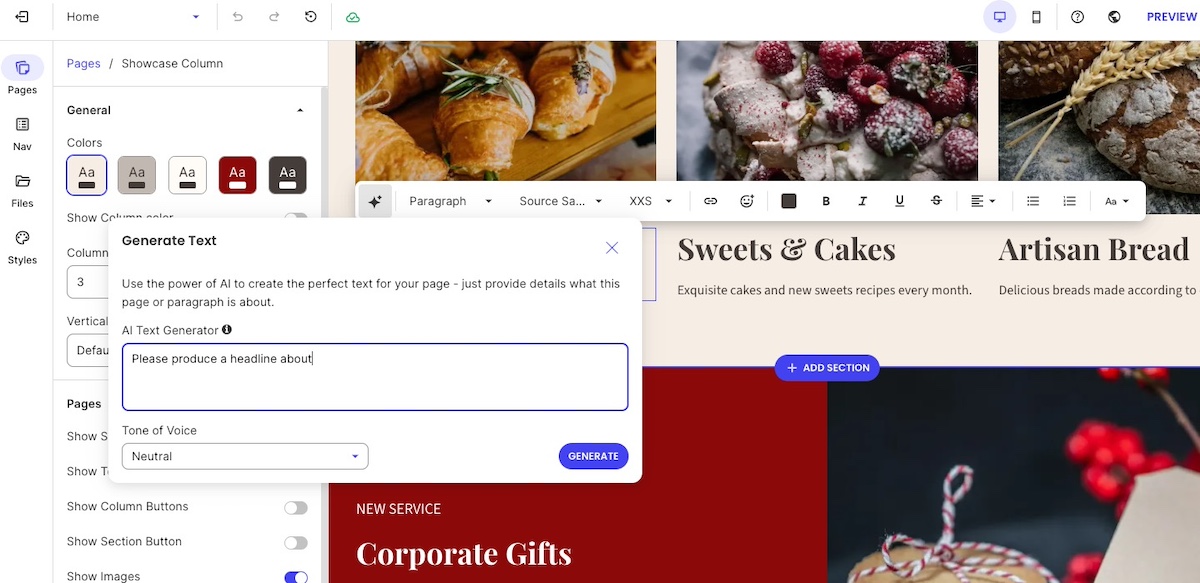
- AI Website Builders – Instead of starting from a blank canvas, you answer a few questions about your business, industry, and goals, and the website builder’s AI generates a personalized website—layout, color scheme, content structure, and all. Many modern online website builders also include AI tools like content writers (as seen below), even if they primarily feature drag-and-drop editors. This is the newest type of website builder, focused on speed and removing decision fatigue. AI can be a huge shortcut, though the output often needs refinement to match your specific vision and brand.
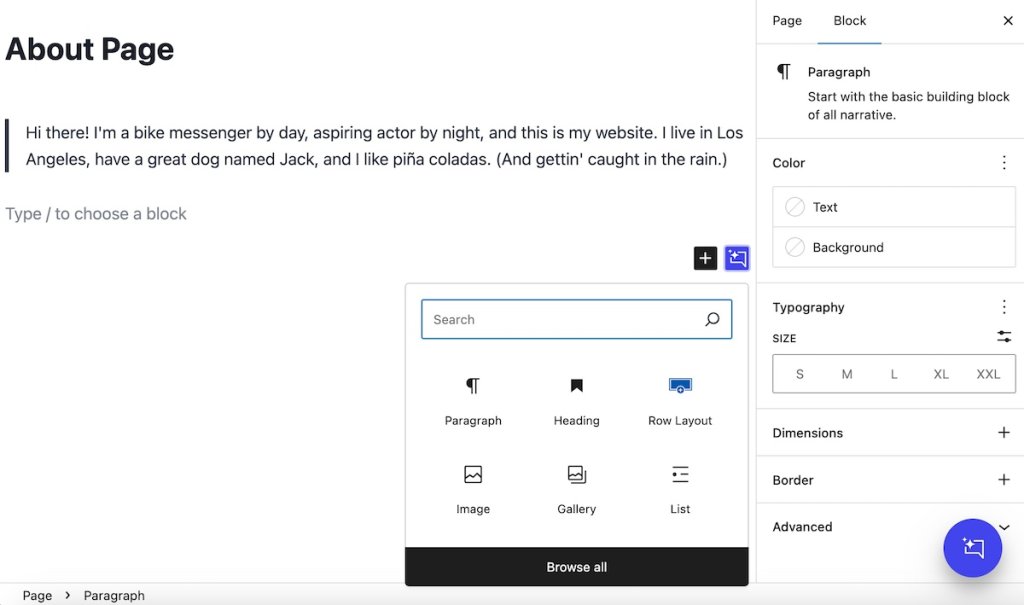
- CMS/Low-Code Platforms – Content management systems (CMS) like WordPress let you manage content through a dashboard and use page builder plugins to design layouts. They give you visual design tools but also let you add custom code, animations, or interactions when needed. These platforms are more flexible and powerful, bridging the gap between basic website builders and full development. They’re good for businesses that need more control over functionality and design details, though they have a steeper learning curve.
- Ecommerce Platforms – These are built specifically for online stores with product catalogs, inventory management, payment processing, shipping calculations, and order tracking. Ecommerce website builders, like, for example, SiteGround Ecommerce, usually include storefront design tools plus all the backend functionality to actually run an online business.
- All-in-One Website Builders – This kind of online website builder packages everything together: domain registration, hosting, email, SSL certificates, backups, and the building tools. One login, one bill, one support team. It removes the hassle of connecting separate services.
It’s worth noting that most modern website builders combine several of these approaches—like a drag-and-drop editor that also offers templates and AI tools, or an ecommerce platform with drag-and-drop design features.
| Types of Website Builders (at a Glance) | |
| Type | What It Is |
| Drag-and-Drop Website Builders | Visual editors where you click and drag elements (text, images, buttons) to design pages without coding |
| Template-Based Website Builders | Pre-designed templates you customize with your own colors, fonts, images, and text |
| AI Website Builders | Platforms that generate complete websites based on questions you answer about your business |
| CMS/Low-Code Platforms | Content management systems (like WordPress) that let you manage content through a dashboard and add custom code when needed for advanced functionality |
| Ecommerce Platforms | Website builders designed specifically for online stores with product listings, payments, inventory, and shipping tools |
| All-in-One Website Builders | Platforms that bundle hosting, domain, email, security, and building tools in one package |
Take the Quiz: Discover Your Ideal Website Builder Quickly identify which builder type is right for your goals, skills, and long-term plans.
Google reCAPTCHA used. Privacy Policy and Terms of Service apply
Why Use a Website Builder?
Website builders exist for one reason: to get you online without the usual nightmare of technical complexity, sky-high costs, and waiting around for someone else to create your site.
The best website builders work by bundling most of what you need into one platform so you’re not stitching together a web host, security, design tools, and updates like some kind of digital Frankenstein. You get a professional website fast, you stay in control of it, and you don’t need to decode developer-speak to make it happen.
Here’s what many website builders offer (though specific features vary by platform):
- Simplified Setup: Most website builders remove technical barriers by providing templates, visual editors, and straightforward workflows—no coding required.
- Affordable and Predictable Costs: Compared to hiring developers or maintaining custom sites, website builders typically allow for more predictable and transparent monthly pricing.
- Professional Designs: Website builder templates are often crafted by designers, giving you a polished starting point for website layouts, usability, and readability.
- Room to Grow: Many website builders let you add features like ecommerce, email marketing, appointment booking, or analytics as your business needs evolve.
- Managed Hosting and Security: All-in-one website builders handle web hosting services, uptime, updates, backups, and security automatically. Other platforms (like CMS-based website builders) may require you to manage these separately.
- Quick Launch and Easy Updates: You can publish a functional site quickly and make changes without waiting on developers—though complexity varies depending on the website builder type you choose.
Looking for an all-in-one solution? The SiteGround Website Builder comes with professional templates, a built-in AI writer, and everything you need bundled in one platform—hosting, security, SSL certificates, and daily backups included. Built on SiteGround’s fast, secure infrastructure, it’s designed for businesses that want a professional website without the technical headaches. When the time comes to add online sales, SiteGround Ecommerce lets you do it right within the same platform. And if you ever need help, SiteGround’s award-winning customer support is there to guide you through it. One platform, one login, zero hassle.
What Website Builders Can Do for Your Small Business
Modern website builders come packed with features that actually help small businesses attract customers, close sales, and keep your business running—without needing a tech team on standby. Here’s what you can often expect from a website builder platform, and why these features matter when you’re trying to grow a business.
- Mobile-friendly design for any device
- Email and marketing integrations
- Customizable templates
- SEO tools are included
- Ecommerce capabilities
- Analytics and tracking features
- Automatic updates, hosting, and performance
1. Mobile-Friendly Design for Any Device
More than 60% of global web traffic comes from mobile devices, according to Statista, which means your customers are most likely visiting your website from a smartphone or tablet. So a website that isn’t optimized for these small screens can frustrate users, hurt engagement, and even impact search rankings. The good news is that most modern website builders automatically incorporate mobile web design, adjusting your site’s layout, font sizes, and images to ensure it looks great on any device.
Benefits:
- Ensures pages display correctly on any screen size
- Makes it easy for customers to browse, read, and interact
- Saves time (and money) compared to manually designing mobile layouts

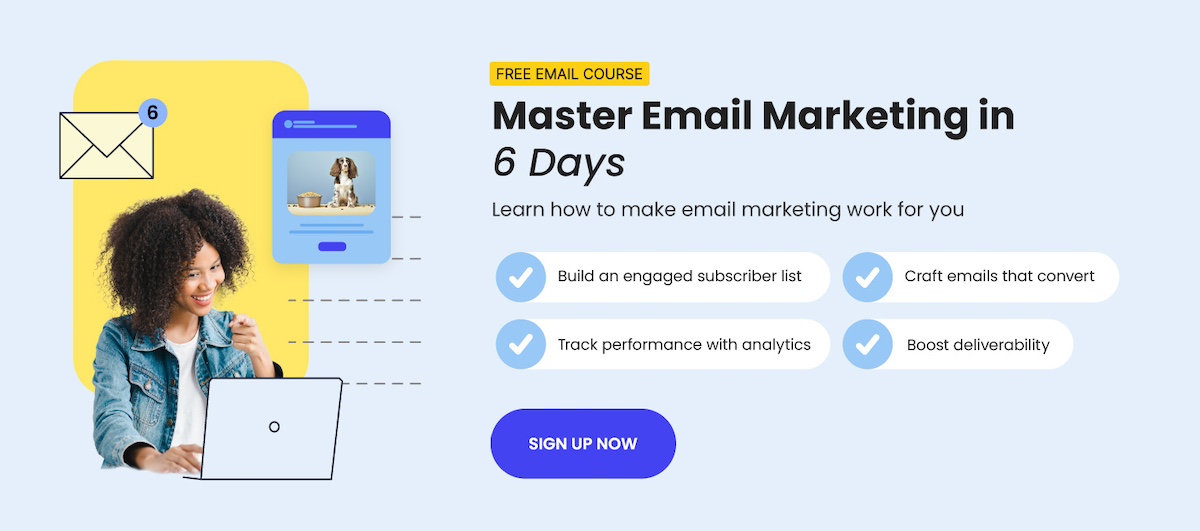
2. Email and Marketing Integrations
Many website builders connect seamlessly with email marketing platforms and lead-capture forms. This allows your website to do more than display information—it becomes an active part of your broader integrated marketing strategy.
For small businesses, these website builder integrations are especially valuable: email remains one of the most cost-effective marketing channels, delivering an average ROI of around $36 for every $1 spent, according to Forbes. By linking your website with email tools, you can capture leads, nurture customers, and run promotions—all without needing to manage separate systems or hire a developer.
Benefits:
- Supports email newsletters, promotions, and automated follow-ups
- Generates leads directly from your website with forms and pop-ups
- Connects your website to your broader marketing ecosystem (CRM, social media, email tools)
- Helps track customer engagement and measure campaign performance
3. Customizable Templates
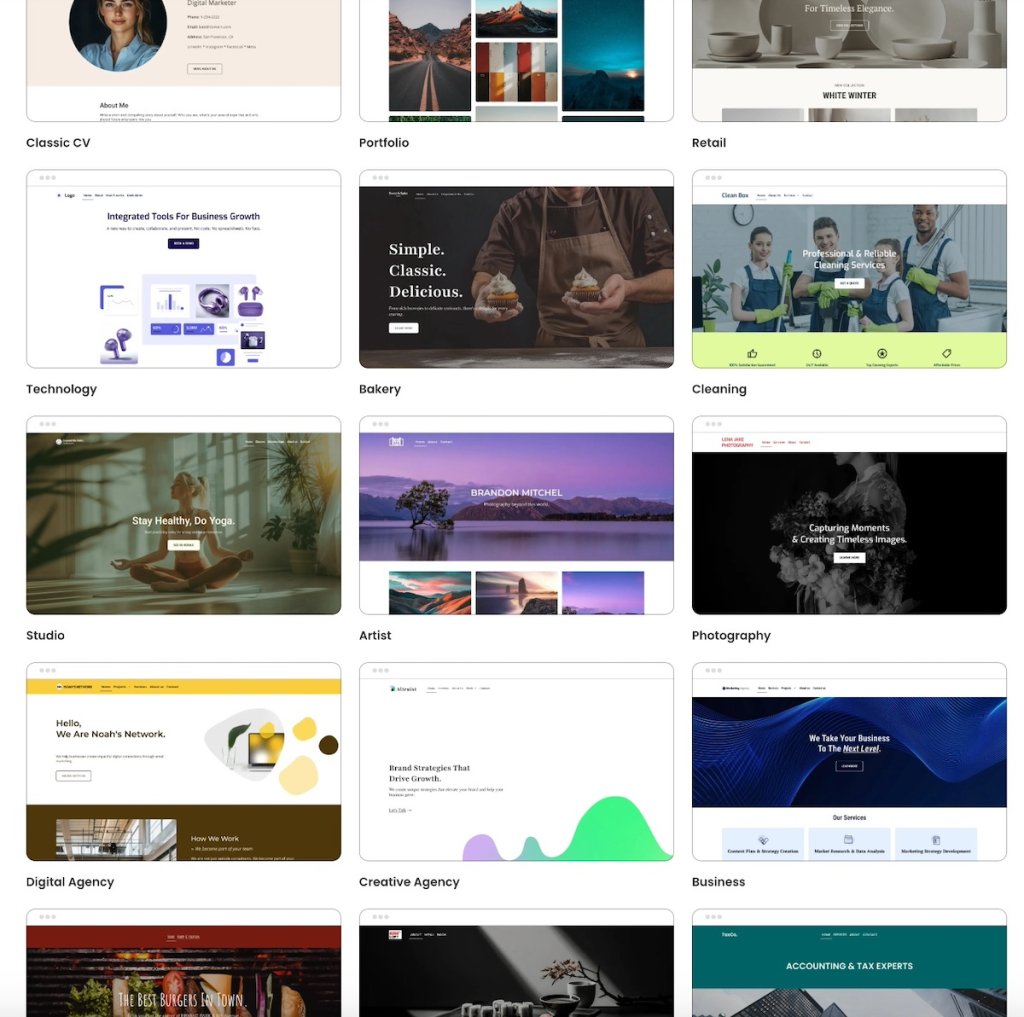
First impressions matter—we know this. So a professional-looking website makes a big difference for small businesses.
Website builders make that possible by providing a wide selection of designer-developed templates, giving you a buttoned-up starting point for your website design. Oftentimes, these website builder templates are even tailored to different industries and business types, and can then be customized to match your brand’s colors, typography, and personality.
Benefits:
- Provides a professional, ready-made starting point
- Allows easy customization to reflect your brand basics and identity
- Speeds up the website creation process
- Maintains design consistency across pages
4. SEO Tools Are Included
Getting found online shouldn’t feel like searching for a needle in a haystack. The higher your search engine rankings—or AI-powered search results—the more likely potential customers are to discover you.
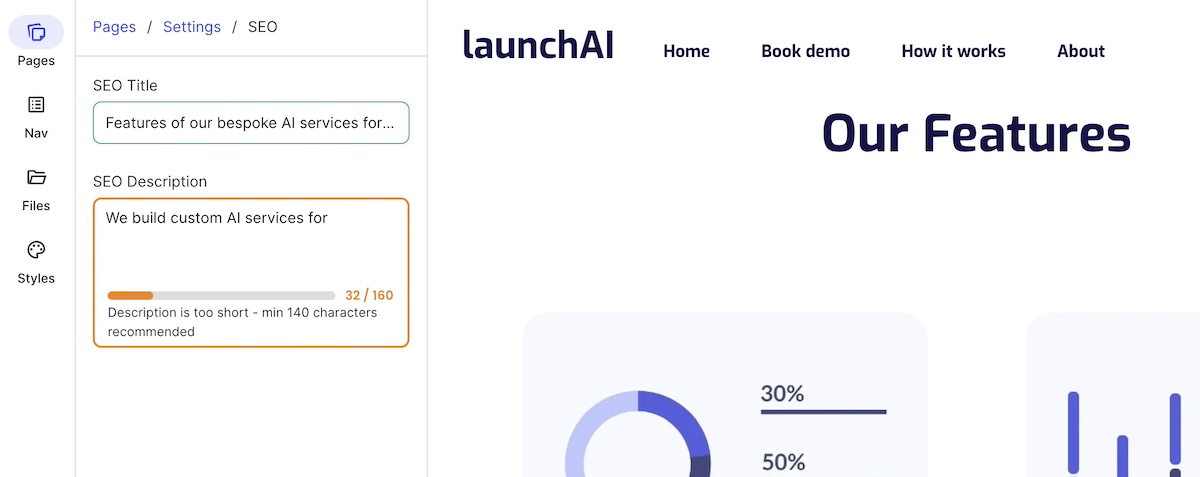
Thankfully, modern website builders often come with built-in SEO tools, assisting with optimizations ranging from meta titles and descriptions to sitemaps and URL structure. These website builder features help your site stay visible and relevant, even as AI-driven search continues to shape how people find information online.
Benefits:
- Provides optimized meta titles, descriptions, and URLs for search engines
- Allows you to make sure images are properly tagged for indexing
- Generates sitemaps automatically to help search engines crawl your site
- Gives a solid foundation for organic search traffic growth
5. Ecommerce Capabilities
Many online website builders include ecommerce features that transform your site into a fully functional online store—but without requiring custom development, of course. These tools make it easier to set up a professional, trustworthy site that helps drive sales and manage your online business efficiently.
Benefits:
- Provides centralized management of product listings, inventory, and pricing
- Enables secure payment processing and shopping cart functionality
- Includes shipping options and order management tools
- Creates a professional-looking online store that builds customer trust
With SiteGround Ecommerce, everything you need to sell online is already built in. You can add products, manage orders, and accept secure payments without relying on plugins, custom code, or third-party tools. Because ecommerce is part of the same platform, your store benefits from fast performance, built-in security, and a consistent design—so you can focus on selling, not setup or maintenance.
Whether you’re launching your first product or expanding an existing business, SiteGround Ecommerce lets you move from website to online store smoothly, on your terms.
6. Analytics and Tracking Features
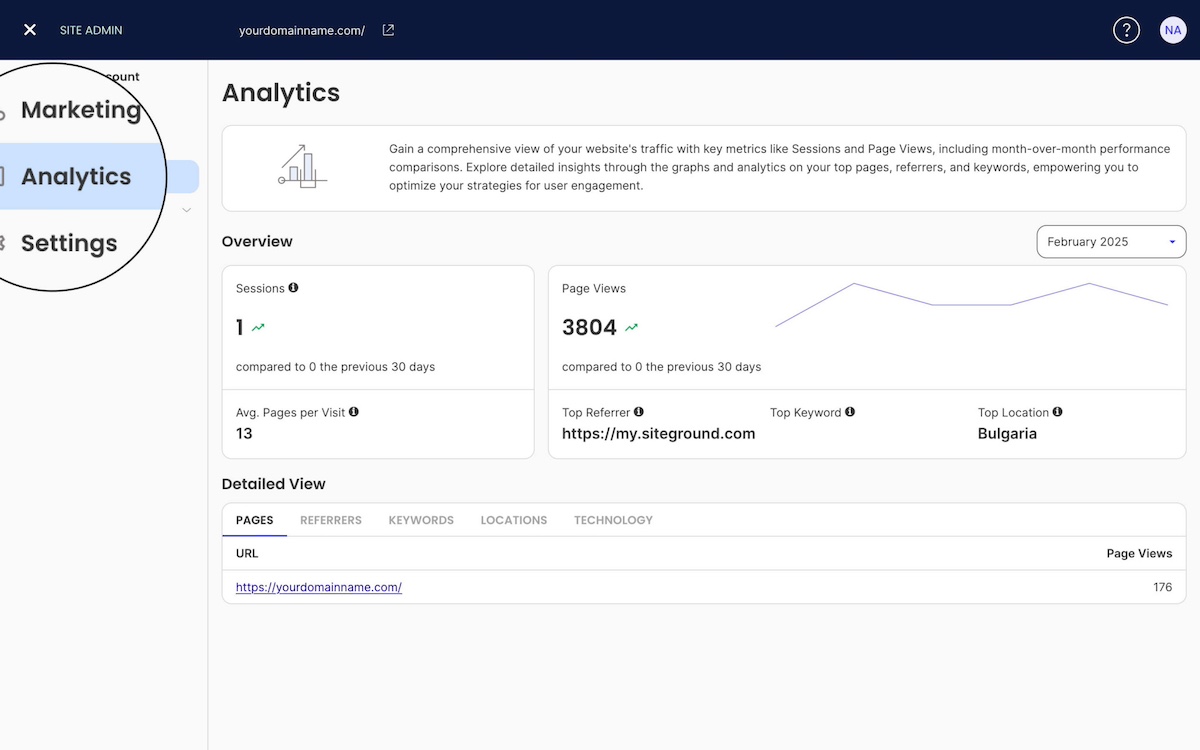
It’s also common for website builders to include built-in, high-level analytics, so you can track basic stats like visitor traffic, popular pages, and engagement patterns without being an analytics expert. For businesses that want more advanced insights, most website builders also integrate easily with tools like Google Analytics.
Benefits:
- Provides key digital marketing metrics without requiring technical expertise
- Shows how visitors interact with your site and content
- Helps make informed decisions to improve performance and engagement
- Offers integration with Google Analytics for deeper insights
7. Automatic Updates, Hosting, and Performance
A site that loads in 1 second converts 2.5 times better than one that takes 5 seconds, according to Portent. All-in-one website builders can simplify site management by including built-in hosting, automatic updates, speed optimization tools, and security patches. While load times aren’t guaranteed, these features can help keep your site reliable, secure, and easier to maintain without technical skills.
Benefits:
- Ensures your website stays secure with automatic updates and patches
- Optimizes site speed to keep visitors engaged and reduce bounce rates
- Eliminates the need to manage hosting or server maintenance
- Frees you to focus on growing your business instead of technical upkeep
Closing Thoughts: How Website Builders Empower Small Businesses
Look, you didn’t start your business because you love troubleshooting hosting issues or tweaking CSS code at midnight. You started it because you’re great at what you do—and now you need to create a website that doesn’t get in the way of actually doing it.
A website builder lets you check “get a professional website” off your list without derailing your entire month or draining your startup budget. You get templates designed by people who actually know what they’re doing, tools that handle the technical stuff automatically, and the freedom to make changes whenever you need to—no developer on speed dial required.
Once you decide to jump in with a website builder, you can launch a polished, functional site in an afternoon instead of waiting weeks (or months) for someone else to build it for you.
Ready to get started? The SiteGround Website Builder offers easy-to-use functionality, professional templates, and all the hosting and security you need—bundled into one straightforward platform along with SiteGround Ecommerce. It’s built for people who want to get online fast and focus on running their business, not managing their website.
Because at the end of the day, your website should work for you—not the other way around.






Comments ( 0 )
Thanks! Your comment will be held for moderation and will be shortly published, if it is related to this blog article. Comments for support inquiries or issues will not be published, if you have such please report it through our official channels of communication.
Leave a comment
Thanks! Your comment will be held for moderation and will be shortly published, if it is related to this blog article. Comments for support inquiries or issues will not be published, if you have such please report it through our official channels of communication.