This article was originally published in January 2022, and then updated in December 2025.
Searching for the best WordPress themes can feel like endless job interviews. Every candidate looks impressive on paper, they all promise to be the perfect fit, but which one will actually deliver?
You don’t need to interview every theme on the internet before finding your match.
We’ve done the homework for you by looking at what actual users are saying—not just what the sales pages promise.
Every theme claims to be “lightning-fast,” “SEO-optimized,” and “beginner-friendly.” Do they deliver? That’s what we’re here to find out. Whether you’re launching your first blog, building a business site, or just tired of your current theme’s performance issues, this guide will help you find the best WordPress theme that actually shows up and does the work.
Key Takeaways:
- WordPress themes control your site’s design and come in three types: default, free, and premium.
- Best default theme: Twenty Twenty-Three—lightweight, fast, supports full site editing, and accessibility-focused.
- Best free theme: Astra—over 1 million installs, highly customizable, works with page builders, praised for speed and flexibility.
- Best premium theme: Avada—750,000+ sales, multipurpose with hundreds of templates, extensive customization, and strong support.
- Essential features to prioritize: responsive design, fast loading, SEO-friendly code, customization options, plugin compatibility, and regular updates.
- Quality hosting matters—SiteGround’s Managed WordPress Hosting handles updates automatically and keeps themes running fast.
What Is a WordPress Theme?
A WordPress theme is the design framework that controls how your website looks. It defines your website’s layout, typography, colors, spacing, header and footer structure, and sometimes even template options for posts and pages.
In other words: Your theme sets the overall style of your site, which is the foundation your content sits on.
How Themes and WordPress Work Together
Before diving into specific themes, it helps to understand how WordPress themes work alongside the platform’s editing tools. Here’s a quick overview:
- Gutenberg (Block Editor): WordPress’s built-in editor for writing and designing content with blocks (text, images, columns, etc.). You’ll use this editor no matter which theme you choose.
- Page Builders: Optional plugins that let you design pages visually with drag-and-drop layouts. Some page builders, like Elementor and Divi, also offer their own pre-built themes or templates, so you can use them to control your website’s design entirely, not just individual pages.
- Themes: The main design framework that controls site-wide style — your header, footer, colors, typography, and default layouts. You can use a standalone theme, a free or premium theme, or a theme provided by a page builder like Divi or Elementor.
Types of WordPress Themes
WordPress themes come in different types, each suited to different needs and skill levels. These are the main categories of WordPress themes:
- Default WordPress Themes: These come pre-installed with WordPress (like Twenty Twenty-Three). They’re lightweight, well-coded, and great for simple sites.
- Free WordPress Themes: Available in the WordPress.org theme directory. Many are excellent, but some free WordPress themes offer limited design options unless you upgrade.
- Paid (Premium) WordPress Themes: These typically include advanced customization features, more templates, priority support, and extra design flexibility.
- Custom WordPress Themes: Built from scratch or heavily customized for a unique design and functionality. (Note: Fully custom themes aren’t covered in this guide; we focus on default, free, and premium themes that anyone can use without hiring a developer.)
How We Picked These WordPress Themes
Rather than testing every theme ourselves, we focused on what real users are saying. Here’s how we curated this list:
- Popularity Metrics – We looked at the most purchased and downloaded themes from major marketplaces. Themes that are widely used tend to be reliable and well-supported.
- User Reviews – Instead of relying on a few testimonials, we analyzed ratings and reviews from hundreds of users to identify consistent feedback.
- Forum Insights – We checked reputable WordPress forums and communities to see which themes users actually recommend and why.
- Updates & Support – Active development and responsive support were key factors. Themes that are regularly updated and supported reduce long-term risks for your WordPress website.
- Feature Relevance – Finally, we considered the features users mention most frequently, including mobile responsiveness, SEO optimization, customization options, and plugin compatibility.
By focusing on real user feedback and measurable popularity, this guide helps you choose the theme most likely to work well for your website, business, or project.
Best WordPress Themes (Quick View)
| Theme | Type | Price | Standout Features |
| Twenty Twenty-Three | Default | Free | Full site editing, lightweight, accessibility-focused |
| Astra | Free | Free | Lightweight, fast, highly customizable, page builder-friendly |
| Neve | Free | Free | Mobile-first, fast, compatible with page builders |
| OceanWP | Free | Free | Multipurpose, WooCommerce-ready, flexible layouts |
| Hello Elementor | Free | Free | Minimal, ultra-lightweight, optimized for Elementor |
| Kadence | Free | Free | Performance-focused, easy to customize, responsive |
| Avada | Paid | $69 | Multipurpose, pre-built templates, extensive customization, plugin-friendly |
| Divi | Paid | $89/year | Drag-and-drop builder, pre-designed layouts, design freedom |
| GeneratePress Premium | Paid | $59/year | Lightweight, SEO-friendly, highly customizable theme |
| Bridge | Paid | $69 | Multipurpose, visual design-focused, flexible layouts |
| BeTheme | Paid | $60 | Hundreds of pre-built templates, multipurpose, plugin compatibility |
Best Default WordPress Theme
Twenty Twenty-Three
When it comes to default WordPress themes, Twenty Twenty-Three stands out as the top choice. Released alongside WordPress 6.3, it’s designed with full site editing in mind, giving users unprecedented control over layout and design without needing any coding skills.
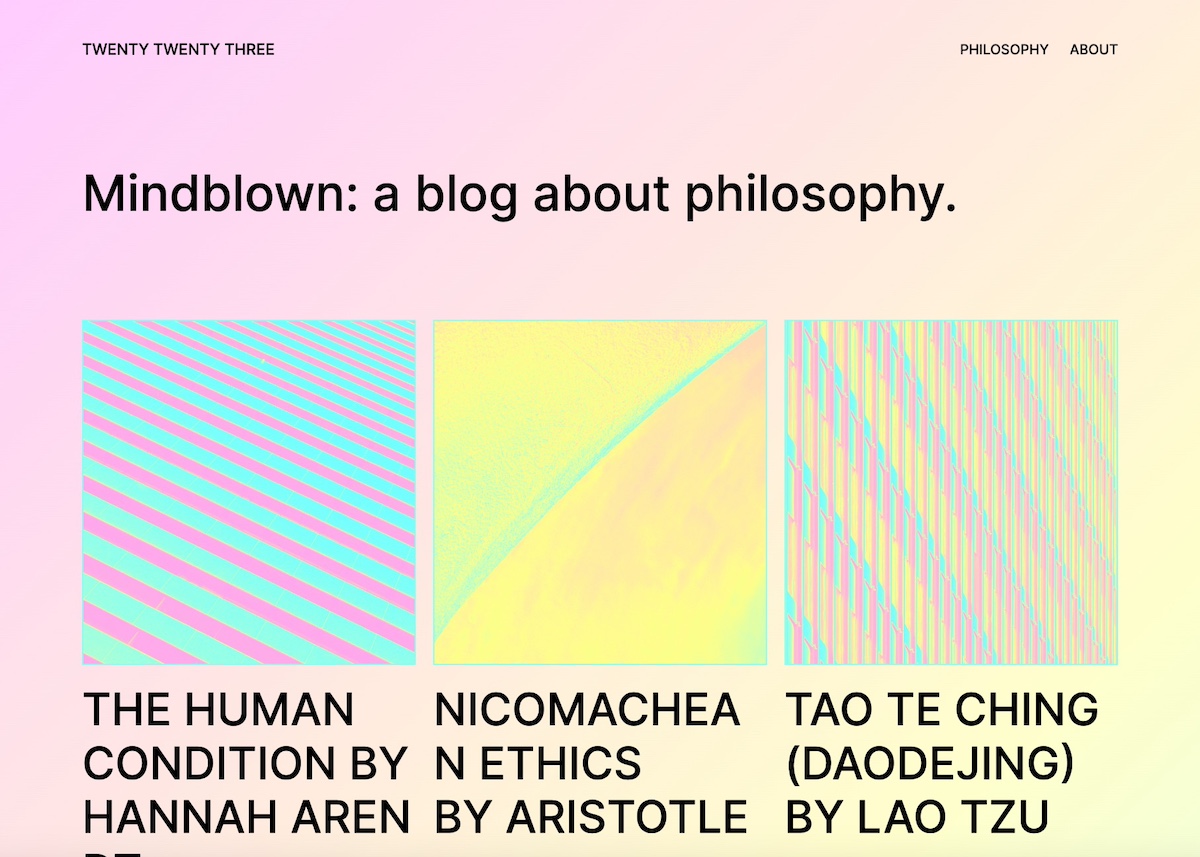
Why Twenty Twenty-Three Is So Popular
- Full Site Editing: Unlike earlier default themes, Twenty Twenty-Three fully supports block-based editing, allowing users to customize headers, footers, and page layouts directly in the WordPress editor.
- Lightweight & Fast: Many users on WordPress forums and ThemeForest discussions note that the theme is highly optimized for speed, helping pages load quickly and improving SEO.
- Accessibility First: It’s built with accessible web design in mind, ensuring that your site is usable for all visitors—a feature praised repeatedly by real users.
- Flexible Design Options: Comes with multiple starter templates and block patterns, so you can quickly launch a site or build a custom look from scratch.
- Reliable & Well-Supported: As an official WordPress theme, it’s regularly updated to stay compatible with the latest WordPress version, plugins, and security standards.
What is block-based editing?
It’s the modern WordPress editing system where every part of your page—text, images, buttons, columns, headers, footers—is built using customizable “blocks.” Instead of relying on a single large editor or custom code, you assemble your site visually by dragging, arranging, and styling these blocks. This gives you more design control, a faster workflow, and a consistent way to edit both content and full site layouts (headers, footers, templates) without needing a page builder.
Best For:
Twenty Twenty-Three is ideal for bloggers, small business websites, and anyone who wants a minimalist, highly customizable, and modern WordPress theme. Beginners will appreciate its ease of use, while advanced users can leverage full site editing to create unique designs without additional plugins.
Not Ideal For:
- Highly Feature-Rich Sites: If you need complex ecommerce functionality or advanced custom layouts, you may need additional plugins or a premium theme.
- Older WordPress Versions: Requires WordPress 6.1 or newer for full site editing, so it’s not suitable for sites running outdated versions.
- Users Seeking Pre-Built Designs: While starter templates exist, the theme is minimalist by default, so it may require some design work for a fully polished look.
Real User Feedback:
Across WordPress.org forums and review threads, users consistently praise Twenty Twenty-Three for its speed, reliability, and design flexibility. Many note that it’s a safe, stress-free starting point, especially for those building a website from scratch or migrating from older themes.
Best Free WordPress Themes
1. Astra
When it comes to the best free WordPress themes, Astra consistently stands out. With over a million active installations and glowing reviews across WordPress.org and popular forums, it’s a free theme trusted by beginners and professionals alike.

Why Astra Is a Popular WordPress Theme:
- Lightweight & Fast: Astra is designed for performance, with minimal bloat and fast loading times, a feature highlighted by many users.
- Highly Customizable: Using the WordPress Customizer or page builders like Elementor and Beaver Builder, you can create a unique look without touching code.
- Multipurpose Design: Astra works well for blogs, portfolios, business sites, and small online stores. Its flexible layout options make it easy to adapt to different site types.
- SEO-Friendly: Users appreciate that Astra is built with clean code and optimized for search engines, helping sites rank better in Google.
- Regular Updates & Support: The theme is actively maintained, ensuring compatibility with the latest WordPress version and plugins.
Best For:
Astra is a free WordPress theme that is ideal for beginners who want a reliable, flexible option, as well as experienced users who want a lightweight, customizable foundation for any type of site.
Not Ideal For:
- Sites that want complex features built directly into the theme without using plugins.
- Users who prefer a pre-styled design out of the box—Astra is minimal by default, so some setup is required to achieve a polished look.
Real User Feedback:
Across WordPress forums and review sites, Astra is frequently praised for being fast, flexible, and easy to use. Many users recommend it as a “go-to” free WordPress theme, noting that it’s a reliable foundation for building any website.
In addition to Astra, several other free WordPress themes are widely used and praised by the community. These other free WordPress themes offer solid functionality, flexibility, and strong user support.
2. Neve
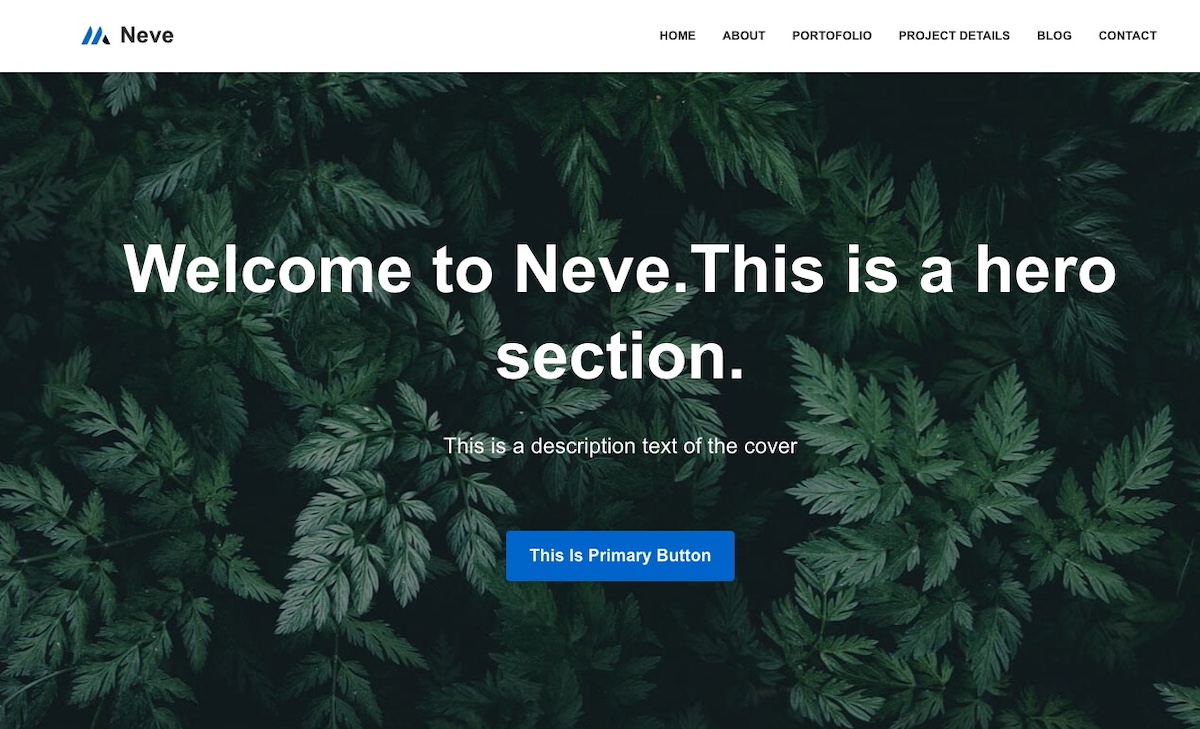
- Overview: A fast, lightweight theme with a mobile-first approach.
- Best For: Blogs, startups, and small business websites.
- Why Users Like It: Easy setup, responsive mobile web design, and compatibility with page builders.
- Not Ideal For: Advanced users looking for built-in complex layouts without plugins.
3. OceanWP
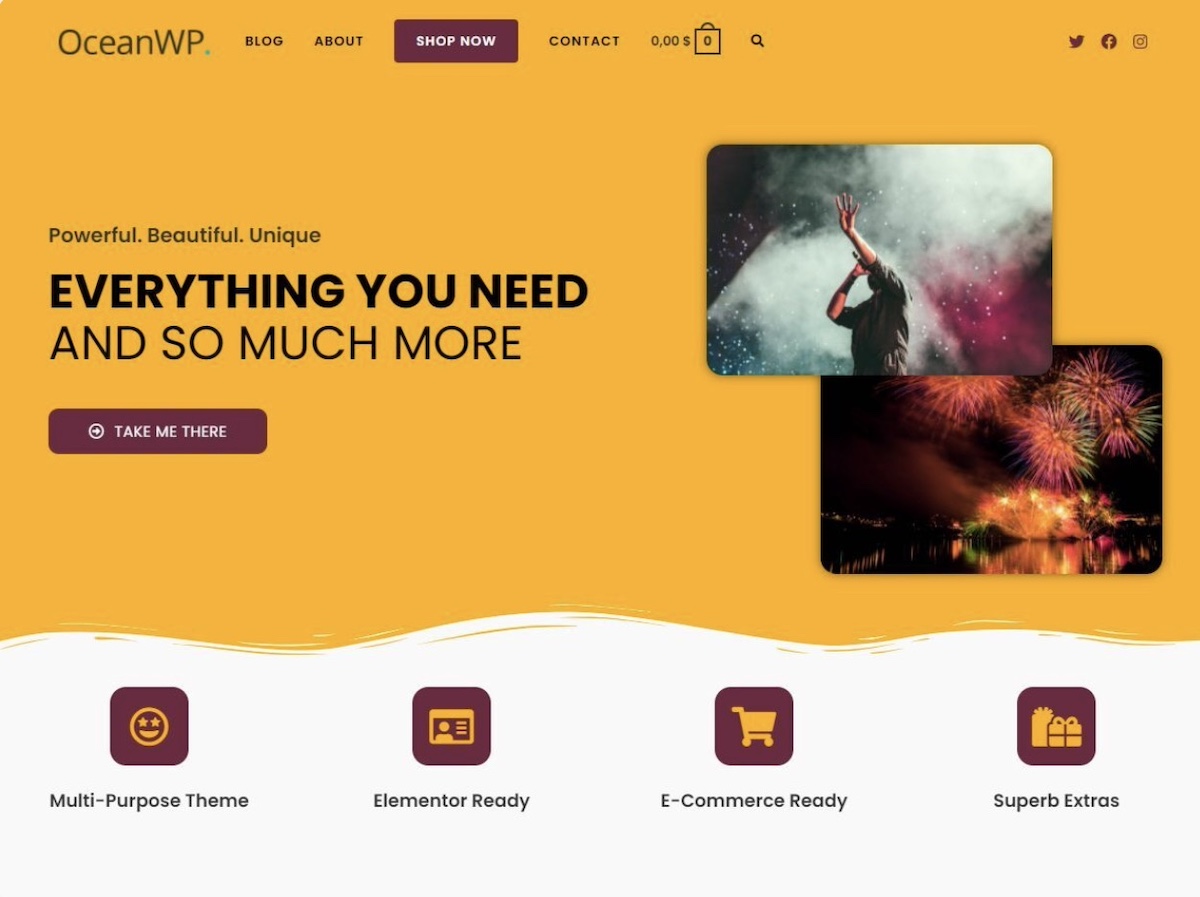
- Overview: A multipurpose theme with extensive customization options.
- Best For: Ecommerce stores, portfolios, and business sites.
- Why Users Like It: WooCommerce-ready, flexible layouts, and strong community support.
- Not Ideal For: Beginners who may find the many options overwhelming.
4. Hello Elementor
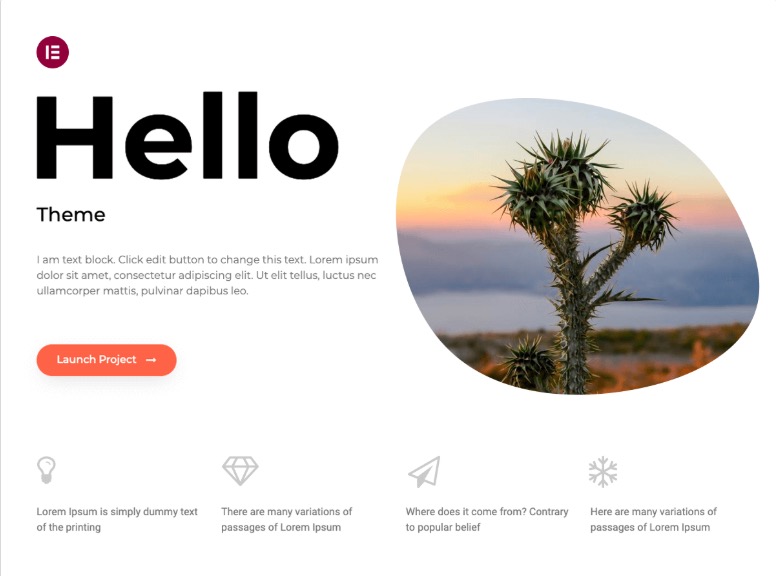
- Overview: A minimal, bare-bones theme designed to work with the Elementor page builder.
- Best For: Users who want full design control via Elementor.
- Why Users Like It: Extremely fast and lightweight, perfect for custom page designs.
- Not Ideal For: Those who don’t plan to use a page builder—it has almost no styling by default.
5. Kadence
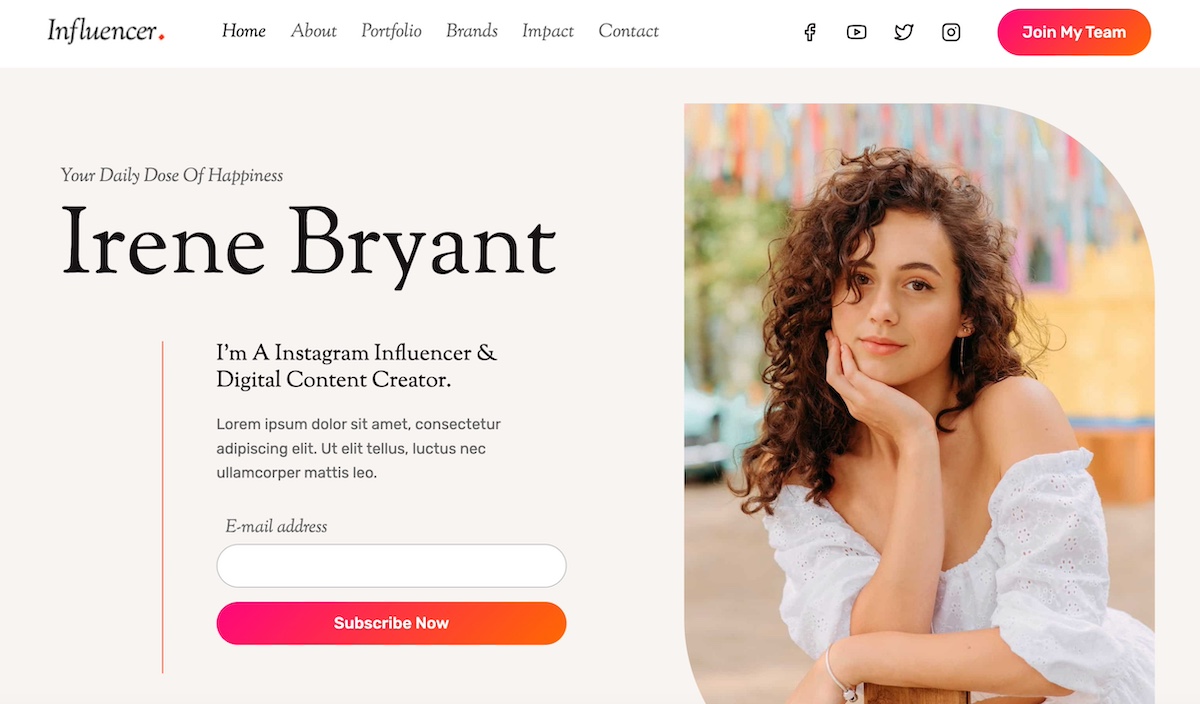
- Overview: A flexible, performance-focused theme suitable for a wide range of websites.
- Best For: Small businesses, blogs, and WooCommerce stores.
- Why Users Like It: Fast, easy to customize, and well-documented.
- Not Ideal For: Users who want highly specialized templates out of the box.
Best Paid WordPress Themes
1. Avada
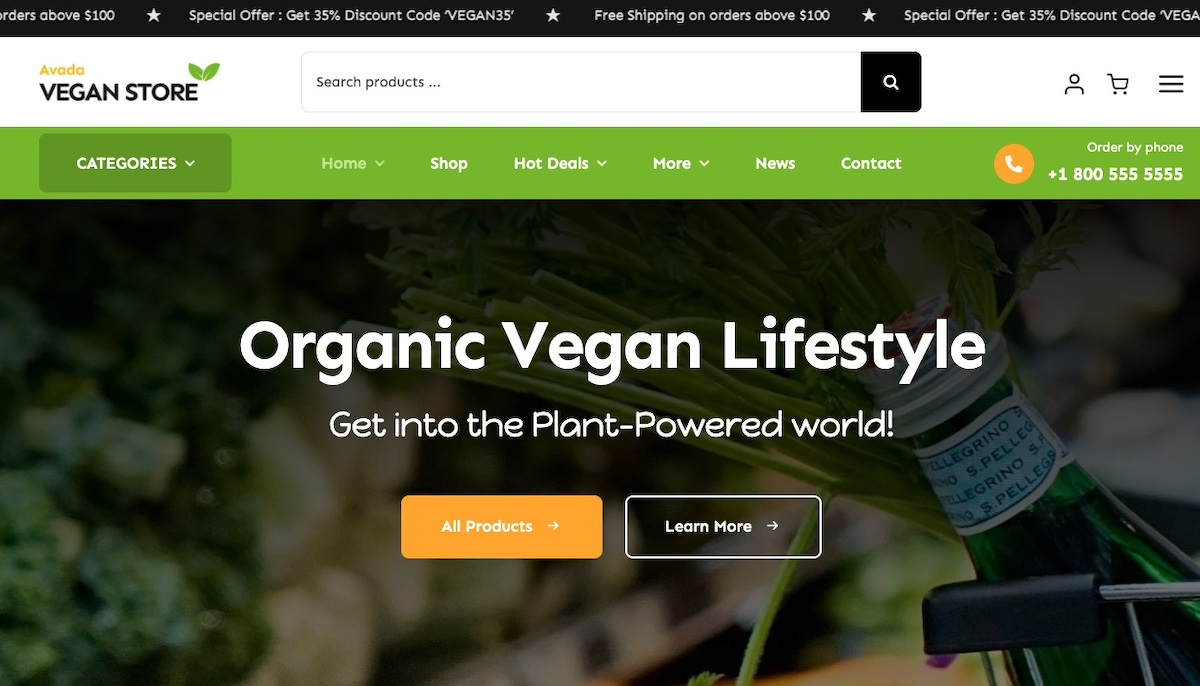
With over 750,000 sales on ThemeForest—a popular online marketplace where developers sell WordPress themes and plugins—and thousands of positive reviews, Avada is one of the most trusted and widely used premium themes in the WordPress community.
Why Avada Is a Popular WordPress Theme
- Multipurpose Flexibility: Avada comes with hundreds of pre-built templates for blogs, business websites, portfolios, and ecommerce stores. Users love that it can adapt to almost any site type.
- Advanced Customization: Built-in options and the Fusion Builder page builder allow users to tweak layouts, colors, headers, and footers without touching a single line of code.
- Plugin Compatibility: Avada works seamlessly with WooCommerce, Yoast SEO, and other essential plugins, making it ideal for professional sites.
- Regular Updates & Support: The theme is actively maintained, with dedicated support and detailed documentation, which users consistently praise in forums and reviews.
- Performance & SEO Optimized: Despite being feature-rich, Avada is optimized for speed and search engines, helping websites perform well.
Best For:
Avada is perfect for business websites, agencies, portfolios, and ecommerce sites that need a highly flexible theme with robust support. It’s also suitable for users who want a “ready-to-go” theme with many pre-built templates.
Not Ideal For:
- Beginners seeking lightweight themes: Avada is feature-rich and can feel heavy if not optimized properly.
- Minimalist Sites: If you want a simple, stripped-down design, Avada’s extensive options may be overwhelming.
Real User Feedback:
Across ThemeForest reviews and WordPress forums, users consistently praise Avada for its flexibility, extensive customization options, and reliable support. Many recommend it as a go-to premium theme for serious projects that require professional design and functionality.
A Note on Heavy Themes & Hosting:
Some premium themes are feature-rich and can be “heavy,” meaning they use more resources and may require optimization to keep your site fast. Using SiteGround Managed WordPress Hosting can help: it automatically handles updates for WordPress core, themes, and plugins, and its optimized servers ensure even complex sites load quickly and run smoothly. This way, you get the flexibility of a feature-rich theme without worrying about speed or maintenance.
Here are a few other popular WordPress themes that are premium and repeatedly show up in expert round‑ups and marketplace best‑seller lists—often praised for flexibility, design quality, or specialized strengths.
2. Divi
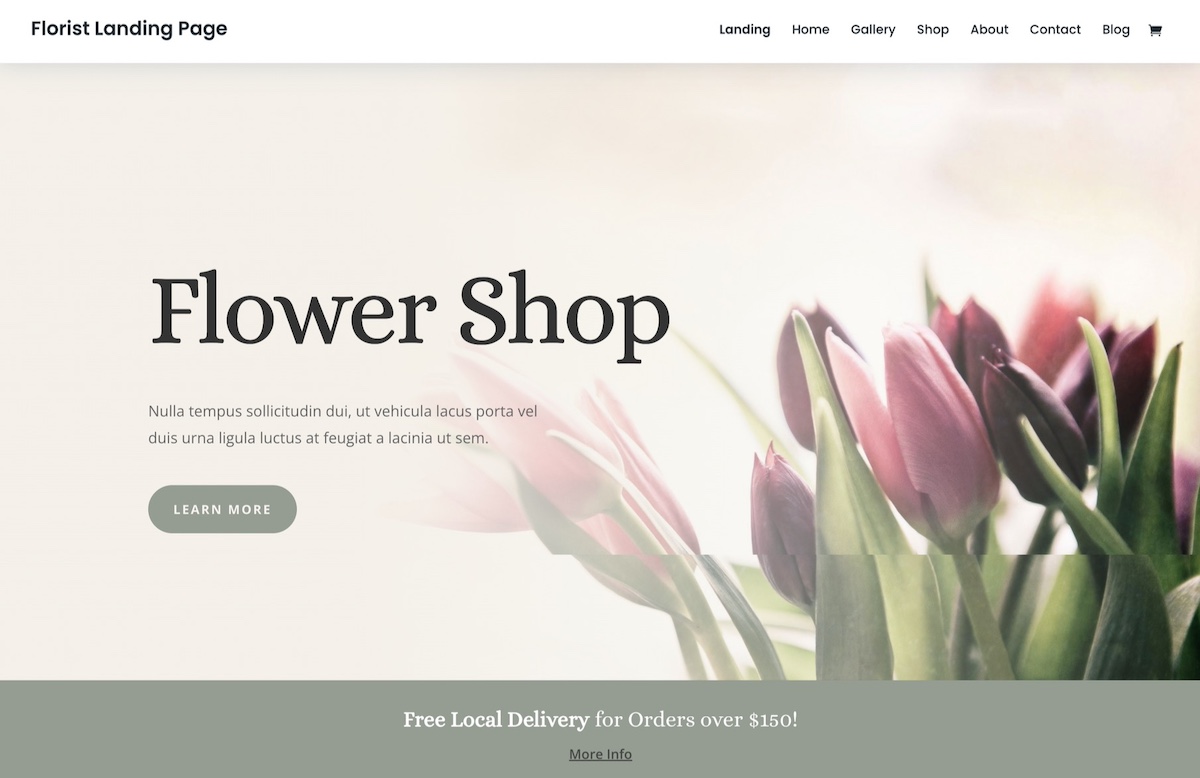
- Overview: A premium WordPress theme with a built-in visual page builder and hundreds of pre-built layouts.
- Best For: Agencies, freelancers, portfolio sites, and businesses wanting full design flexibility.
- Why Users Like It: Drag-and-drop builder, extensive design options, and large library of pre-designed templates.
- Not Ideal For: Users who want a lightweight, minimal theme; Divi can be heavy if not optimized.
3. GeneratePress Premium
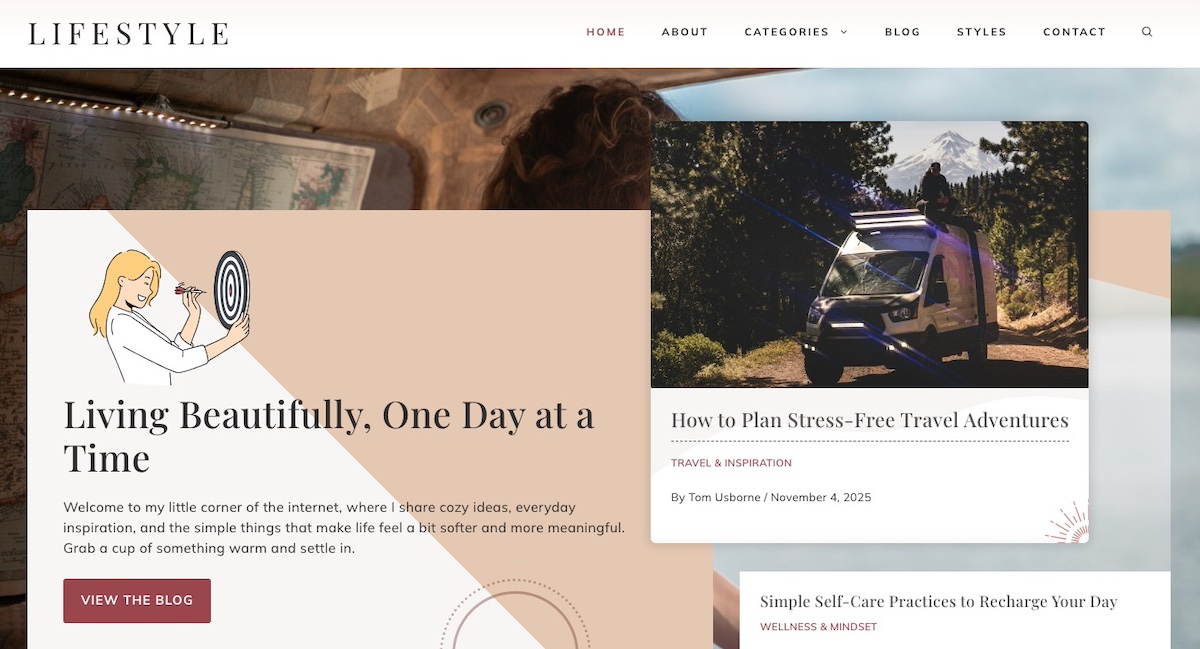
- Overview: A lightweight, performance-focused premium option versus the popular free version of the GeneratePress theme.
- Best For: Small businesses, performance-sensitive sites, and users who want speed with flexibility.
- Why Users Like It: Fast, SEO-friendly, highly customizable, and compatible with popular page builders.
- Not Ideal For: Users who want pre-built layouts; most design work is done via customization.
4. Bridge
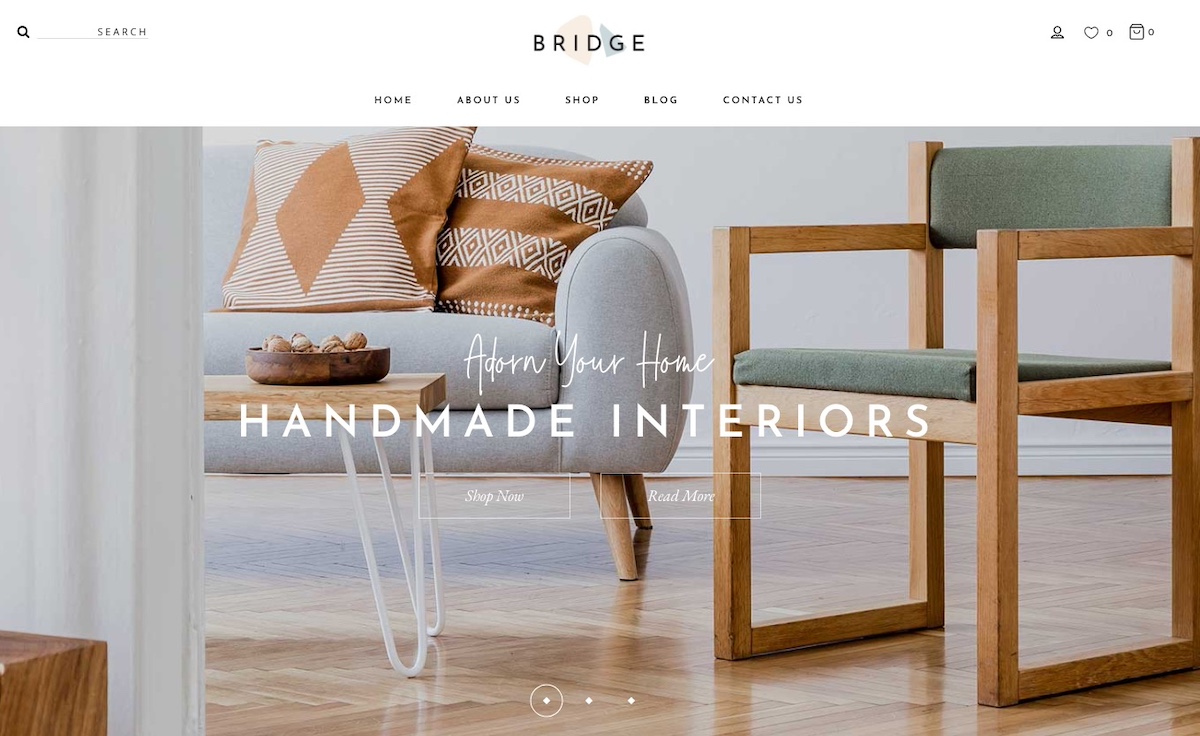
- Overview: A multipurpose premium theme with a creative and visually-oriented design.
- Best For: Creative agencies, portfolios, and visually-driven business websites.
- Why Users Like It: Flexible layouts, large template library, and strong visual design options.
- Not Ideal For: Beginners or users seeking a simple, lightweight theme; lots of options can feel overwhelming.
5. BeTheme
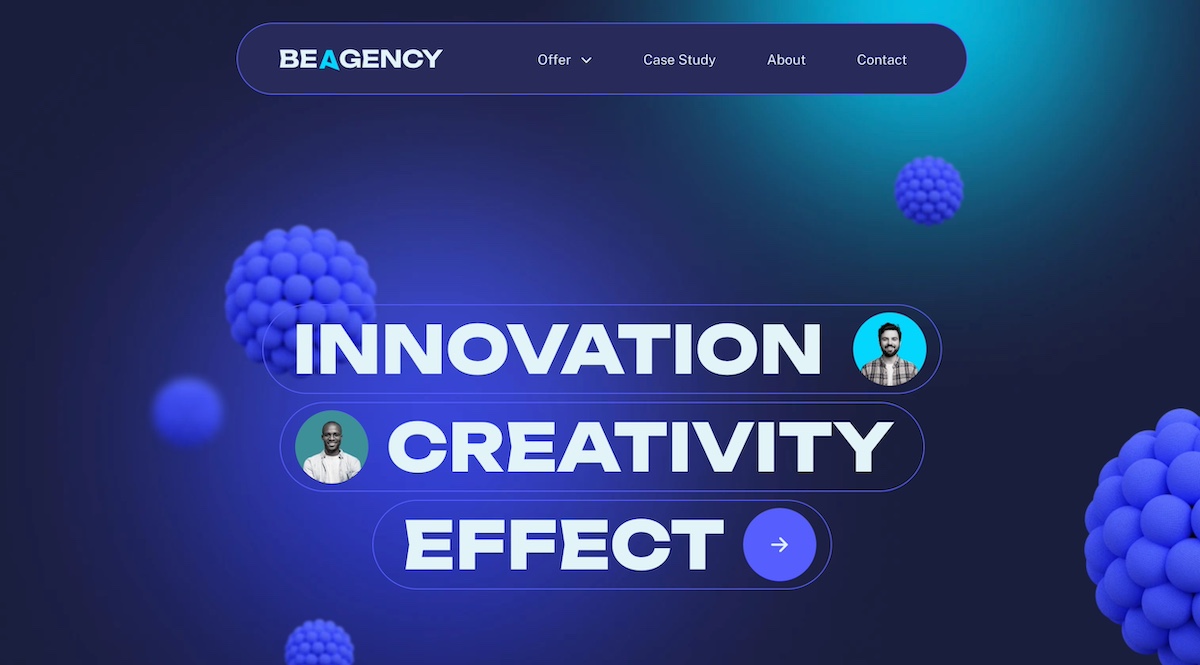
- Overview: A versatile multipurpose premium theme with hundreds of pre-built website templates.
- Best For: Agencies, large or complex websites, and projects that need ready-made layouts.
- Why Users Like It: Extensive template library, flexible design, and wide plugin compatibility.
- Not Ideal For: Users who prefer minimal or simple themes; it can be heavy and complex to navigate.
WordPress Theme Features to Look For
Choosing a WordPress theme isn’t just about looks; it’s about functionality, performance, and long-term reliability. Below are the features we considered when selecting the themes in this guide. That said, if you explore other themes, keep these same standards in mind to ensure your site stays fast, flexible, and reliable.
Here are the essential WordPress theme features you should consider:
1. Responsive Design / Mobile Friendly: Your theme should look great on desktops, tablets, and smartphones. Since more than 60% of global web traffic comes from mobile devices—and Google favors mobile-friendly sites—a responsive WordPress theme ensures your content performs well across all screens.
2. Fast Loading & Performance Optimized: WordPress themes that are lightweight and well-coded load faster, improving user experience and SEO. Avoid themes that are bloated with unnecessary features.
3. SEO-Friendly: Themes built with clean code, proper HTML structure, and optimized performance support WordPress SEO, helping search engines index and rank your content more effectively.
4. Customization Options: Look for themes with easy-to-use customization tools: headers, footers, colors, fonts, and layout options. Themes compatible with the WordPress Customizer or page builders make design simple.
5. Plugin Compatibility: Your theme should work seamlessly with popular plugins like WooCommerce, Yoast SEO, and Contact Form 7. This ensures you can grow your business and expand your site’s functionality without conflicts.
6. Regular Updates & Support: WordPress themes that are actively maintained are safer, more secure, and compatible with the latest WordPress version. If you’re using SiteGround Managed WordPress Hosting, updates for WordPress core, themes, and plugins are automatically handled for you, so your site stays secure and up-to-date with minimal effort. Check also for responsive theme support and thorough documentation.
7. Starter Templates / Demo Content: Themes with pre-built templates or demo content can help you launch your site faster and give you a foundation to build on.
8. Accessibility & Translation Ready: Themes that follow accessibility guidelines (WCAG) and support multilingual plugins make your site usable for more people worldwide.
Pro tip: Even the best theme performs poorly on slow or unreliable servers. Choosing a web hosting provider that’s optimized for WordPress ensures your site loads quickly, stays secure, and works seamlessly with your theme.
Next Steps: Pick the Best WordPress Theme for Your Site
So there you have it—no more endless scrolling through theme directories. Whether you go with a reliable default theme, a flexible free option, or splurge on a premium theme with all the bells and whistles, you’ve now got a solid foundation that actually shows up and does the work.
The best WordPress theme isn’t the one with the most features or the flashiest demo. It’s the one that performs well and doesn’t cause drama down the line. And if you want your theme to run at its best, pair it with hosting that can keep up. SiteGround’s Managed WordPress Hosting automatically handles updates for WordPress core, themes, and plugins, so you never have to worry about compatibility issues or security gaps. Plus, their optimized servers mean even feature-rich themes stay fast and responsive.
Now stop overthinking it and launch that site already. Your ideal theme is waiting.
This article was originally published in January 2022, and then updated in December 2025.






Comments ( 8 )
Andrea
Hello, how to check which theme is using a certain website? Thank you
Gergana Zhecheva Siteground Team
Hello Andrea, If you like the appearance of a certain WordPress website, there are various tools online with which you can try checking its theme, e.g. wpthemedetector.com, isitwp.com, scanwp.net, just to name a few.
Leicester Websites
Great, Thank you for sharing informative information.
Ivan Naidenov
Always happy to share our experience, your feedback means a lot to us!
Paul
Should you use the most up to date Theme for SEO purposes and fresh up to the minute look or are you really free to choose the best option for your website? Always with a please.
Gabriela Andonova Siteground Team
Great question, Paul! Keeping your theme updated is essential for security, bug fixes, and identifying compatibility issues with browsers and plugins. Your site’s SEO may suffer as a result of outdated themes. For example, if your theme isn’t up-to-date, someone using the latest browser version (Google Chrome, Safari, Edge, etc.) might not be able to access it. You should ensure that your theme is regularly updated (the same logic applies to any of the website components). There are a lot of variables your theme can affect, including site stability, loading speed, content, core web vitals, metadata, and indexing, all of which have a direct impact on SEO. Hope this helps.
Aiden
Hello, Which is the best theme for woocommerce? Speed and conversion rate
Gabriela Andonova Siteground Team
Hey there, Aiden, great question! Choosing the best theme for Woo depends on your specific needs, particularly regarding design, speed, and conversion rate optimization. While we can't pinpoint a single "best" theme, we can certainly suggest looking for themes that are customizable, speed-optimized, and built with a focus on conversions. Also, consider the theme's update frequency and support team responsiveness. Don't hesitate to test different themes to find the best fit for your store. And remember, your site's speed and performance also depend on your hosting environment, CDN quality, image optimization, caching, etc. Hope this helps!
Thanks! Your comment will be held for moderation and will be shortly published, if it is related to this blog article. Comments for support inquiries or issues will not be published, if you have such please report it through our official channels of communication.
Leave a comment
Thanks! Your comment will be held for moderation and will be shortly published, if it is related to this blog article. Comments for support inquiries or issues will not be published, if you have such please report it through our official channels of communication.